Automate customer service operations: 2026 enterprise guide
Discover how to automate customer service operations effectively in 2026. Explore AI tools and techniques to enhance customer interactions.

Automating customer service operations is defined as using AI-powered agents, conversational workflows, and integrated messaging systems to handle customer interactions with minimal human intervention. The industry term for this approach is intelligent process automation, and it sits at the heart of how Australian enterprises are rethinking support at scale. Up to 70% of customer interactions are projected to be AI-led by 2027. That shift means the question for operations leaders is no longer whether to automate, but how to do it without losing the human connection that customers still expect.
What tools and technologies do you need to automate customer service operations?
The foundation of any automated support system is a set of integrated technologies that work together. No single tool does the job alone. You need AI-powered agents, a CRM with open APIs, a messaging layer, and an orchestration engine that ties them all together.
Integrated agentic AI workflows with APIs connecting all relevant systems are critical to avoiding manual data re-entry and incomplete automation. Without that integration, your team ends up doing the work the AI was supposed to handle.

The table below maps the core tool categories to their function and integration requirements.
| Tool category | Primary function | Key integration requirement |
|---|---|---|
| Conversational AI agents | Handle voice, SMS, email, and live chat queries | CRM, ticketing system |
| SMS and WhatsApp automation | Send and receive two-way messages at scale | Customer database, opt-in registry |
| Workflow orchestration engine | Route, escalate, and sequence interactions | All backend systems via API |
| AI-powered live chat | Resolve FAQs and qualify leads in real time | CRM, knowledge base |
| Analytics and reporting layer | Track resolution rates, response times, and satisfaction | All interaction channels |
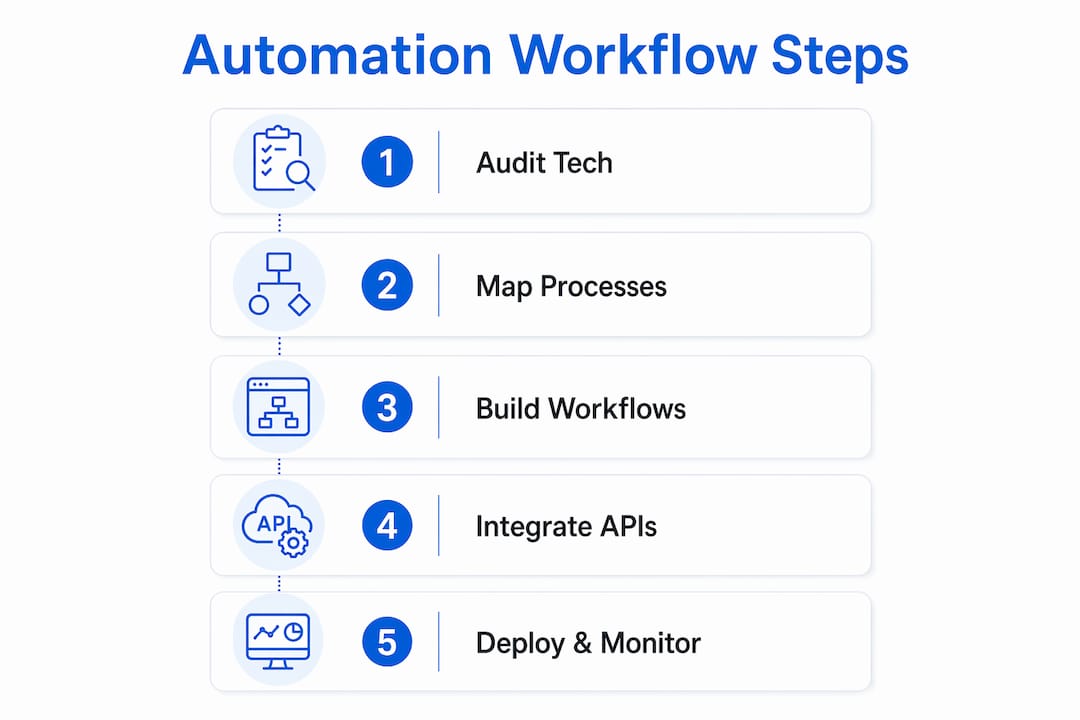
API readiness is the prerequisite most teams underestimate. If your CRM cannot expose data to an external AI agent in real time, your automation will stall at the first complex query. Before you deploy anything, audit your existing systems for API compatibility. Platforms like Conversational AI are built to integrate with existing Australian enterprise infrastructure, which removes much of that friction from the start.
Pro Tip: Map your current tech stack against the tool categories above before selecting any automation platform. Gaps in API connectivity will cost you more time to fix post-deployment than pre-deployment.
How do you design effective automation workflows in customer service?
Workflow design is where most automation projects either succeed or stall. The goal is to map every high-volume, repeatable process before writing a single line of configuration.
Follow these steps to build workflows that hold up under real customer load:
- Identify your top ten query types by volume. Pull three months of ticket data and rank queries by frequency. FAQs, order status checks, appointment bookings, and billing questions almost always top the list.
- Map the “happy path” for each query. Define the ideal sequence of steps from first contact to resolution, assuming everything goes right. This becomes your automation playbook.
- Define failure conditions and escalation triggers. Decide exactly when the AI hands off to a human agent. Triggers typically include sentiment detection, unrecognised intent, or a query exceeding a defined complexity threshold.
- Build your conversational flows in a staging environment. Use real historical conversations as test inputs. Do not deploy to live customers until the AI resolves at least 80% of test cases correctly.
- Set up contextual memory and follow-up sequences. The AI should remember what a customer said earlier in the conversation and use that context in every subsequent message.
- Run a controlled pilot with a subset of live traffic. Start with 10–15% of inbound volume. Monitor resolution rates, escalation rates, and customer satisfaction scores daily.
- Iterate before scaling. Fix failure points identified in the pilot before expanding to full traffic volume.
Starting with a single high-volume, multi-step process mapped clearly with happy paths and failure handling enables precise and repeatable automation rollouts. That discipline at the start prevents the messy retrofitting that kills momentum later.
Pro Tip: Record every escalation during your pilot phase. Escalation patterns reveal exactly where your conversational flows need more depth, and they are the fastest way to improve resolution rates before full deployment.
For a detailed look at enterprise chatbot deployment strategies, the 2026 implementation guide covers configuration and testing frameworks in depth.
What are examples of personalised automated messaging that improve customer interaction?
Personalised automated messaging is the difference between a customer feeling served and a customer feeling processed. The best examples use customer data, behavioural signals, and two-way conversation to make every message feel relevant.
Automation cuts response times by up to 35% and enables 24/7 availability. That speed, combined with personalisation, is what drives measurable satisfaction improvements.
Consider these message types that consistently perform well in Australian enterprise contexts:
- Welcome and onboarding messages: Triggered by account creation or first purchase, these set expectations and reduce early support queries.
- Appointment reminders with two-way confirmation: The AI sends a reminder, the customer replies to confirm or reschedule, and the system updates the calendar without human input.
- Proactive billing and payment nudges: Sent before a due date, these reduce late payments and inbound billing queries simultaneously.
- Post-service follow-up surveys: Automated NPS or CSAT requests sent within two hours of resolution capture feedback while the experience is fresh.
- Objection-handling sequences: When a customer goes quiet after a quote or proposal, an automated follow-up addresses common concerns and invites a response.
The results from well-designed campaigns are significant. An AI-powered SMS campaign by a pest control provider generated $650,000 in upsells by handling objections and scheduling across 28,000 conversations without human input. That is the scale that becomes possible when messaging is both automated and genuinely personalised.
“WhatsApp automation achieves a 98% message open rate, allowing businesses to handle thousands of simultaneous conversations with AI-powered agents responding instantly. At that open rate, automated messaging outperforms every other digital channel by a wide margin.”
Australian businesses must also comply with the Spam Act 2003 and the Australian Privacy Act 1988. Every automated messaging campaign requires explicit opt-in consent, a clear unsubscribe mechanism, and sender identification. Build these requirements into your workflow design from day one, not as an afterthought.
What challenges should you anticipate when automating customer service?
Automation projects fail more often from organisational friction than from technology failure. Knowing the common pitfalls before you hit them is the most practical advantage you can give your team.
AI adoption impacts headcount, roles, and requires leadership focus on API readiness and training. That is not a technology problem. It is a change management problem, and it needs executive sponsorship from the start.
The most common challenges operations leaders face include:
- CRM data quality issues: Automation is only as good as the data it reads. Duplicate records, missing fields, and inconsistent formatting all cause AI agents to fail or produce incorrect responses.
- System integration gaps: Legacy platforms without open APIs require custom middleware, which adds cost and time to every deployment phase.
- Over-automation without fallback: Removing human agents from the loop entirely before the AI has proven itself creates customer frustration and reputational risk.
- Resistance from customer service teams: Agents who fear replacement disengage from the rollout. Reframe their role early as relationship management and complex problem-solving, not ticket processing.
- Insufficient KPI monitoring: Teams that do not track escalation rates, resolution rates, and customer satisfaction scores weekly cannot identify where automation is underperforming.
Pro Tip: Appoint an internal automation champion from within your customer service team, not just from IT. Someone who knows the customer queries intimately will catch workflow gaps that a technical team will miss entirely.
How do you balance automated interactions with human empathy?
Automation and human empathy are not in competition. The best customer service operations use AI to handle volume and use human agents to handle complexity and emotion.
Intelligent issue routing improves both customer experience and agent productivity by directing simple queries to AI and complex queries to humans with full context already provided. The agent does not start from scratch. They receive a summary of the conversation, the customer’s history, and a suggested response, which means they can focus entirely on the relationship rather than the administration.
Agentic AI transforms customer service agents into relationship managers by handling routine tasks autonomously and freeing human attention for high-empathy interactions. This is not a reduction in the human role. It is a redefinition of it. Agents who previously spent their day answering the same FAQ twenty times now spend it resolving complaints, retaining at-risk customers, and building genuine rapport.
Automation augments human empathy rather than replacing it by providing agents with context-enriched insights and routing complex cases appropriately. The AI acts as a co-pilot, not a replacement. For a deeper look at how voice and chat AI differ in this context, the 2026 enterprise guide covers channel-specific considerations in detail.
Key takeaways
Automating customer service operations delivers measurable efficiency gains only when AI workflows are integrated with CRM systems, designed with clear escalation protocols, and supported by organisational change management from leadership.
| Point | Details |
|---|---|
| Start with API readiness | Audit your CRM and backend systems for API compatibility before selecting any automation platform. |
| Map happy paths first | Define the ideal resolution sequence for each query type before configuring any conversational flow. |
| Personalise at scale | Use customer data and two-way messaging to make automated interactions feel relevant, not generic. |
| Build escalation protocols | Define clear triggers for human handoff to maintain trust and resolve complex queries accurately. |
| Monitor KPIs weekly | Track resolution rates, escalation rates, and satisfaction scores to identify and fix underperforming workflows. |
What I have learned from watching automation projects succeed and fail
By Sowrabh
The pattern I see most often is this: a leadership team approves an automation project, the technology team deploys a chatbot, and six months later the resolution rate is still under 40%. The technology was not the problem. The process mapping was.
Every successful automation rollout I have observed started with one process, not ten. The team picked their highest-volume, most predictable query type, mapped every variation of it, and got that single workflow to a 90% resolution rate before touching anything else. That discipline is unglamorous, but it is the only thing that actually works.
The other lesson is about human roles. Agents who are brought into the automation design process early become its strongest advocates. They know the edge cases. They know the queries that will break a generic conversational flow. Ignoring that knowledge is one of the most expensive mistakes an operations leader can make.
Automation does not reduce the need for good people. It raises the bar for what good people spend their time on. The organisations that understand that distinction are the ones that get real results.
— Sowrabh
Conversational AI for Australian enterprise customer service
Australian enterprises looking to automate customer service at scale need a platform built for local compliance, existing system integration, and genuine multi-channel capability.
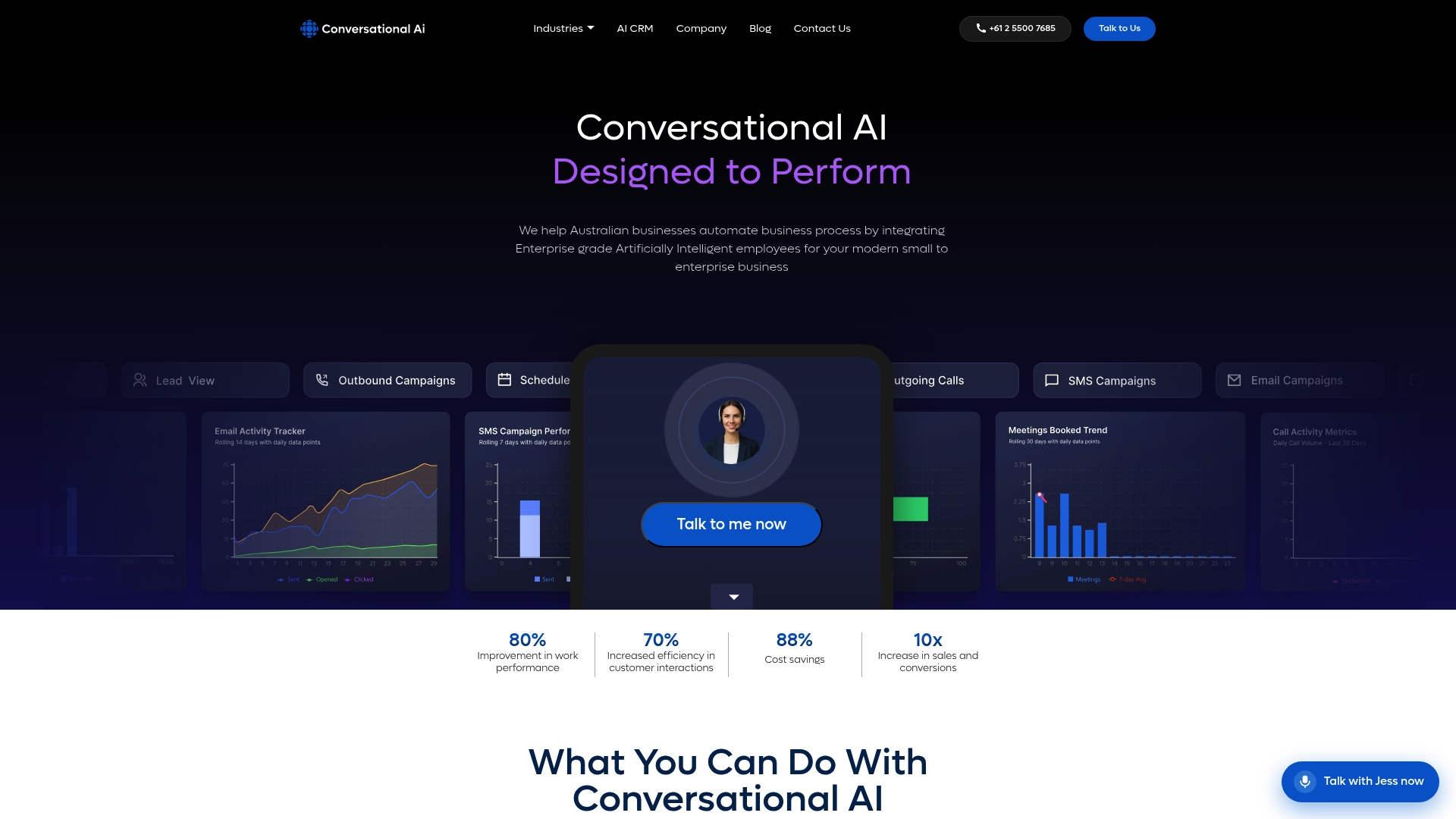
Conversational AI is an enterprise-grade platform designed specifically for Australian businesses. It supports voice, SMS, email, and live chat agents that connect directly to your existing CRM and backend systems. All data is hosted within Australia, which means full compliance with the Privacy Act 1988 and complete data sovereignty. The platform handles complex, multi-step workflows across industries including finance, healthcare, and professional services. If you are ready to move from manual support to AI-powered customer service that actually scales, Conversational AI is built for that work.
FAQ
What does it mean to automate customer service operations?
Automating customer service operations means using AI agents, conversational workflows, and integrated messaging systems to handle customer queries with minimal human input. The goal is faster resolution, 24/7 availability, and consistent service quality at scale.
Why automate repeat customer queries?
Repeat queries like FAQs, order status checks, and appointment bookings consume the majority of agent time without requiring human judgement. Automating these frees agents for complex, high-value interactions and cuts response times by up to 35%.
How do you automate FAQs in customer service?
Map your top FAQ types by volume, build conversational flows with clear answers and escalation triggers, then deploy them through your AI agent across all active channels. Connect the AI to your knowledge base so answers stay current without manual updates.
What is the role of personalisation in automated customer interactions?
Personalisation uses customer data, purchase history, and behavioural signals to make automated messages feel relevant to the individual. Campaigns that personalise at this level consistently outperform generic broadcasts in both engagement and revenue outcomes.
How do you maintain human empathy in an automated customer service model?
Route complex, emotionally sensitive, or unresolved queries to human agents with full AI-generated context already provided. High-performing automation treats AI as a co-pilot that assists agents rather than a replacement that removes them.