Seven enterprise automation mistakes that quietly sink projects
Avoid common enterprise automation mistakes that derail your projects. Learn how to strengthen your workflow and boost success rates.

Most automation failures follow a pattern, and the pattern isn’t technical. The seven mistakes that recur across enterprise IT and operations teams are: automating a broken process, letting scope creep swallow the pilot, skipping named ownership and audit trails, stitching together brittle point-to-point integrations, scaling before the data is ready, ignoring the people side of adoption, and launching without a funded plan for ongoing maintenance.
The immediate priority, before touching any of the above, is simple: map the workflow you’re about to automate, set a tight pilot scope, and assign one named owner accountable for the outcome. Research on artificial intelligence and automation post-mortems puts the scale of the problem in stark terms.
A large proportion of AI and automation proofs of concept never reach production, according to an SME retrospective on failed automation rollouts that traces most of that failure to missing ownership and brittle integrations rather than the technology itself.
- Automating a process that was already broken
- Letting “automate everything” replace a scoped pilot
- No named owner, weak governance, no audit trail
- Brittle point-to-point integrations and shadow automation
- Scaling before the data foundation is trustworthy
- Ignoring change management and frontline adoption
- Shipping without a funded plan for monitoring and maintenance
Key Takeaways
Enterprise automation succeeds when a named owner, a tightly scoped pilot, and a funded maintenance plan replace ad hoc rollouts driven by technology alone.
| Point | Details |
|---|---|
| Map before you automate | Document the current workflow and remove redundant steps before writing any automation logic. |
| Scope the pilot tightly | Limit pilots to one workflow, one measurable KPI, and a 60 to 90 day timebox. |
| Name an owner immediately | Assign one accountable person with a runbook before go-live, not after problems appear. |
| Budget for ongoing run-state costs, not just build | Fund at least 24 months of monitoring, retraining, and connector upkeep from the start. |
| Choose a governed platform | Conversational AI supports audit logs, CRM integration, and Australia-hosted data sovereignty for teams building durable automation. |
Table of Contents
- Common enterprise automation mistakes: automating a broken process
- Scope creep and the “automate everything” trap
- No named owner, weak governance and missing audit trails
- Brittle point-to-point integrations and shadow automation
- Poor data readiness and scaling without a trusted foundation
- Ignoring change management and the people side
- Launching without maintenance, monitoring and a funded run-state
- A remediation checklist for moving pilots into production
- Insufficient maintenance planning and underfunded run-state
- Measuring the wrong KPIs or having no measurable success criteria
- Insufficient security and compliance considerations in automation
- Over-reliance on technology without understanding business context
- Lack of proper testing and validation before deployment
- Ignoring scalability and future-proofing of automation solutions
- What actually separates programmes that scale from ones that stall
- How Conversational AI supports the checklist you just read
- Sources
Common enterprise automation mistakes: automating a broken process
Automation doesn’t fix a bad process. It scales it, and it scales it fast. If your accounts-payable workflow currently routes invoices through three approvers because nobody trusts the second one, an automated version won’t quietly drop that redundant step. It will enforce it every time, at a volume no human backlog ever reached, and it will do so without the informal workarounds staff use to unblock stuck cases.
The same logic applies to customer-facing decisions. A lending or claims process with an inconsistent, poorly documented rejection rule doesn’t become fairer once it’s automated. It becomes a system that rejects the same category of customer thousands of times a day, consistently, with no human noticing the pattern until a regulator or a journalist does. Forrester’s analysis of “random acts of automation” puts bad process design and biased decision logic near the top of its list of pitfalls, alongside employee experience failures that push staff to build unsanctioned workarounds.
Before you write a single automation rule, run these checks:
- Map the current process end to end, including every exception and manual override
- Identify and remove redundant approval steps, duplicate data entry, and dead-end handoffs
- Confirm the decision logic is documented and defensible, not just “how it’s always been done”
- Test the simplified process manually for at least one full cycle before automating it
Industry guides on enterprise workflow automation consistently recommend this process-first sequence: simplify, then automate, never the reverse.
Scope creep and the “automate everything” trap
A pilot that starts as “automate invoice matching for one supplier category” has a habit of becoming “automate the entire procure-to-pay function” by the second steering committee meeting. Someone asks why the bot can’t also handle exceptions. Someone else wants it integrated with three more systems. Six weeks later, the pilot has no fixed scope, no clear success metric, and no realistic delivery date.
Three rules keep a pilot honest:
- One workflow, one boundary. Pick a single, well-defined process with a clear start and end point, and refuse to expand it mid-pilot no matter how tempting the adjacent use case looks.
- One measurable KPI, agreed before you start. Whether it’s processing time, error rate, or cost per transaction, define it upfront and don’t swap it out halfway through because the numbers look better on a different metric.
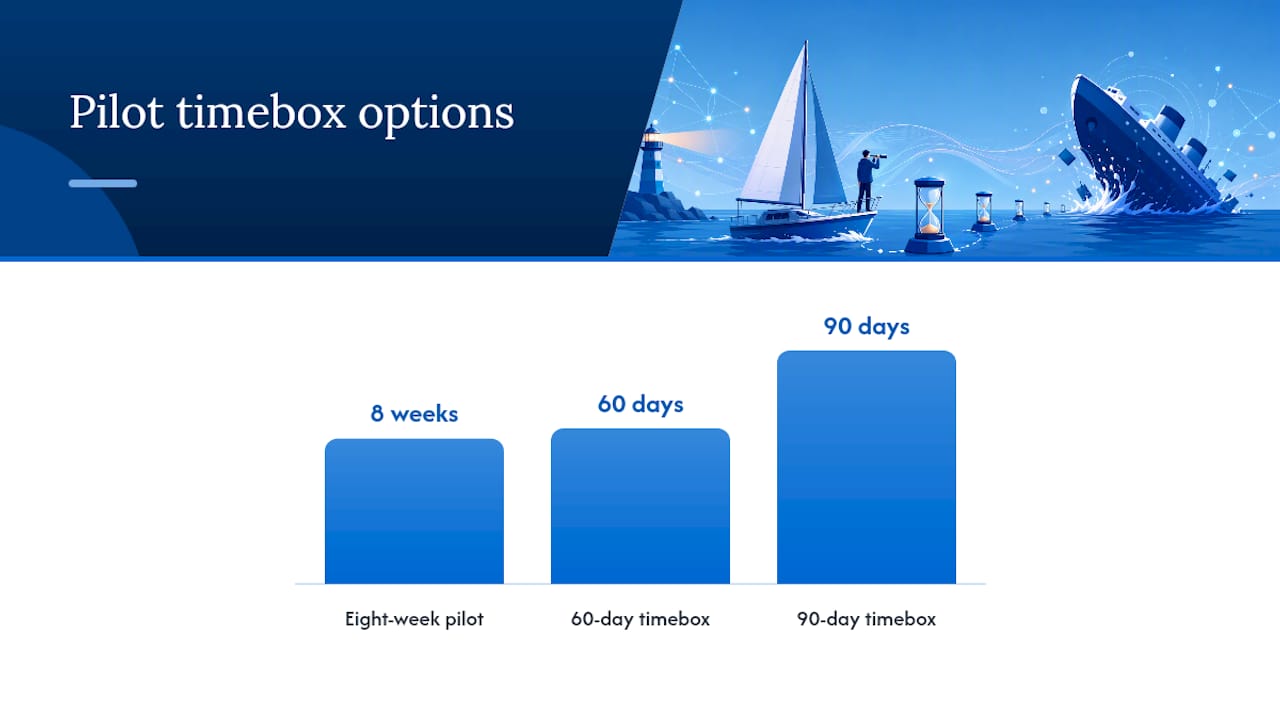
- A hard timebox. Give the pilot a fixed window, typically 60 to 90 days, and treat the deadline as a decision point: scale it, fix it, or kill it. Don’t let it drift indefinitely in “almost done” status.
A narrow, well-run pilot might automate a single email intake queue for one department, measure ticket resolution time against a baseline, and report results in eight weeks. That’s a pilot with a decision attached to it. Compare that to an open-ended “customer service transformation” initiative with no fixed boundary. One of those produces a business case. The other produces a budget line nobody wants to own.
No named owner, weak governance and missing audit trails
Every automation that fails silently has one thing in common: nobody was watching it, because nobody was formally responsible for it. Governance isn’t a compliance exercise bolted on at the end. It’s the difference between catching a broken integration in an hour and discovering it three months later when a client complains.
Ownership needs to be explicit from day one. That means a named individual, not a team distribution list, who is accountable for the automation’s performance, holds the runbook, and signs off on any change to its logic. Ciklum’s analysis of enterprise AI failure modes found that the majority of scaling failures trace back to people and process gaps, with technology and data issues making up a smaller share. Ownership is a people-and-process fix, not a technical one.
Minimum governance controls to have in place before go-live:
- An immutable audit log recording every decision the automation makes and why
- Defined approval gates for any change to rules, connectors, or trained behaviour
- A version history that lets you roll back to a known-good state within minutes
- A documented runbook naming who gets paged when something breaks
Human-in-the-loop review gates matter most wherever the automation makes a decision that’s expensive to reverse: a credit approval, a compliance flag, a customer refund above a threshold. Auditing AI system decisions properly means those gates are logged, not just assumed.
Pro Tip: Assign the named owner before you write the first automation rule, not after the pilot succeeds. Retrofitting ownership onto a system that’s already live is how “temporary” workarounds become permanent liabilities.
Brittle point-to-point integrations and shadow automation
Point-to-point integrations feel efficient when you build the first three. By the tenth, you have a tangle of direct connections between systems that nobody has fully diagrammed, and a single API change in your CRM or ERP breaks two automations you’d forgotten existed. Microsoft’s framing of ERP systems as the system of record for core business data is a useful reminder: automation that bypasses or duplicates that record, rather than integrating with it properly, creates data drift that’s expensive to unpick later.
Shadow automation compounds the problem. This is the robotic process automation script a business analyst built in a weekend to solve a personal pain point, running in production with no IT visibility, no security review, and no one auditing what data it touches or where it sends it. It works fine until the analyst leaves, or until it quietly starts leaking customer data into an unsecured file share.
Three mitigations reduce both risks:
- Route integrations through a central orchestration layer instead of direct system-to-system connections
- Maintain a single registry of every automation running in production, including who owns it
- Version every connector and integration so a breaking change is traceable to its source
If you can’t produce a list of every automation currently running in your organisation within a day, you almost certainly have shadow automation somewhere in the mix.
Poor data readiness and scaling without a trusted foundation
Automation doesn’t fail because the workflow logic is wrong. It fails because the data feeding that logic is inconsistent, incomplete, or tagged differently across three different systems that were never meant to talk to each other. A customer record with a missing postcode in one system and a different spelling of the same suburb in another doesn’t cause a human employee much trouble. It causes an automated matching rule to fail silently, every time.
Peppereffect’s analysis of why AI automation projects fail identifies data readiness as one of the most frequent underlying causes of stalled or abandoned automation initiatives, ranking above pure algorithm or model issues in most post-mortems reviewed.
Run these checks at pilot scale, before you scale anything further:
- Confirm required fields are populated above an acceptable threshold across every source system
- Standardise tagging and categorisation conventions across systems the automation reads from
- Trace at least one full data lineage path from source to the automation’s decision point
- Test the automation against known edge cases: missing fields, duplicate records, malformed inputs
A useful discipline here is targeted, workflow-specific data cleanup rather than an enterprise-wide data transformation project before you start. Fixing the fields your one pilot workflow actually touches gets you moving faster than waiting on a master data governance program.
Ignoring change management and the people side
Staff don’t resist automation because they’re stubborn. They resist it because nobody explained what changes for them, because the tool was dropped into their workflow without input, or because early versions made obvious mistakes that nobody fixed quickly. A support agent who watches a chatbot mishandle three customer queries in a week stops trusting it, and starts working around it, even if the fourth interaction goes fine.
Four tactics consistently improve adoption:
- Involve line managers early, not as messengers after the decision is made, but as participants in shaping how the automation changes their team’s day-to-day work.
- Redesign roles explicitly, so staff understand what their job looks like once routine tasks move to the automation, rather than leaving them to guess whether it threatens their position.
- Run hands-on training with real scenarios, not a slide deck. People trust tools they’ve watched work on cases they recognise.
- Build a visible feedback loop, so when someone flags a bad automated decision, they see it acted on within days, not months.
Measure adoption early, not just at the end of the pilot. Track how often staff override or bypass the automation, not just whether the automation completed a task. A high override rate in week two is a warning sign worth acting on immediately, and it’s far cheaper to fix a training gap early than to rebuild trust after staff have quietly abandoned the tool. Examples of what awkward automated handling actually looks like from a customer’s side are worth reviewing in common customer engagement automation mistakes.
Launching without maintenance, monitoring and a funded run-state
The pilot succeeded. The demo impressed the steering committee. Then, six months after go-live, nobody’s watching the error rate, the connector to the CRM silently broke three weeks ago, and the automation has been quietly failing over to a manual queue that’s now three days behind.
This happens because most business cases fund development and stop there. S5 Labs’ analysis of why automation projects fail recommends budgeting for at least 24 months of run-state engineering, covering monitoring, periodic retraining, and connector upkeep, as a standard line item rather than an afterthought.
Ongoing maintenance activities that need a name and a budget line attached:
- Continuous monitoring for error rates and unusual decision patterns
- Scheduled retraining or rule review as underlying data and business conditions shift
- Regular connector and integration health checks, not just reactive fixes when something breaks
- A defined incident response path when the automation fails over to manual handling
A rough rule of thumb: budget run-state staffing and tooling at a significant fraction of the initial build cost, per year, for as long as the automation stays in production. Track error rate, cost per transaction, and SLA compliance monthly, not quarterly. A monthly cadence catches drift before it becomes a customer-facing problem.
A remediation checklist for moving pilots into production
Most of what separates a durable automation programme from one stuck in “pilot purgatory” isn’t a better model or a smarter integration. It’s discipline applied in a fixed order, starting before the first line of automation logic gets written.
- Map the workflow. Document every step, exception, and handoff in the current process before deciding what to automate. Skipping this step is the single most common reason automations replicate existing dysfunction at scale.
- Scope the pilot tightly. One workflow, one measurable KPI agreed in advance, and a hard timebox of 60 to 90 days. Treat the end of that window as a genuine decision point.
- Assign a named owner and define the KPI together. Ownership without a measurable target is symbolic. A KPI without an owner accountable for hitting it gets ignored the first time priorities shift.
Once those three are in place, the operational playbook takes over. Immutable audit logs and human-in-the-loop gates on any high-stakes decision aren’t optional extras, they’re the mechanism that catches a failing automation before it causes real damage. Targeted data fixes, scoped to the workflow you’re automating rather than the whole enterprise, get you moving without waiting on a data governance program that might take a year to land. And every KPI needs to be falsifiable: if there’s no scenario where the metric could show the automation failed, it isn’t measuring anything useful.
Pilot purgatory and shadow automation aren’t tooling problems. They’re symptoms of a missing operating model, and ownership plus review gates are what arrest the failure before it compounds.
Monitoring and scaling discipline is where most of this either holds or collapses. Budget for at least 24 months of run-state engineering from the outset, covering monitoring, retraining, and connector maintenance, and revisit that budget at the 12-month mark rather than assuming the original estimate still holds. Guidance on scaling AI automation enterprise wide covers the governance frameworks that support this stage in more depth.
Pro Tip: Treat the 60 to 90 day pilot timebox as sacred. The moment a steering committee agrees to “just extend it another month,” the discipline that made the pilot useful starts to erode.
Insufficient maintenance planning and underfunded run-state
The gap between a funded pilot and a funded production system is where most automation programmes quietly lose momentum. Development budgets get signed off with enthusiasm; ongoing operational budgets get treated as a rounding error, if they’re budgeted at all. That mismatch is structural, not accidental: it’s far easier to get executive sign-off for a visible build project than for an invisible line item labelled “monitoring.”
The practical fix is to present run-state costs as part of the original business case, not a follow-up request. If the automation replaces three full-time roles, part of that saving needs to be earmarked for the person, or fraction of a person, who now monitors dashboards, reviews flagged exceptions, and manages connector updates when the CRM vendor pushes an API change. Treating maintenance as a rounding error on the original budget is how a working pilot becomes an unmonitored liability within a year.
Measuring the wrong KPIs or having no measurable success criteria
Time saved is the easiest metric to report and often the least useful one. It tells you the automation is faster than the manual process it replaced, but it says nothing about whether customers are better served, whether error rates dropped, or whether the business actually saved money once you account for exception handling and rework. Harvard Business Review’s analysis of measurement discipline makes the case that businesses should measure outcomes, not just operational efficiency, when they assess whether a system is actually working.
A KPI worth tracking needs to be falsifiable before the pilot starts, not defined retroactively to match whatever numbers came out the other end. If a project has no metric that could show it failed, it isn’t measuring success. It’s measuring activity.
Insufficient security and compliance considerations in automation
Automations that touch customer data, financial records, or health information carry the same compliance obligations as the humans who used to do that work manually, and often more exposure because they operate at higher volume with less real-time scrutiny. A poorly secured automation that pulls customer records across systems can create a data leakage path that didn’t exist when a person was doing the lookup manually and applying judgement about what to share.

Data sovereignty matters here too, particularly for organisations in regulated sectors such as healthcare and finance, where hosting location and data residency affect compliance obligations directly. Guidance on preventing offshore data transfers is worth reviewing before any automation goes live with access to sensitive records, because retrofitting compliance controls after deployment is significantly harder than designing them in from the start.
Over-reliance on technology without understanding business context
The most sophisticated automation platform on the market can’t compensate for a team that doesn’t understand why a process exists the way it does. Technology vendors sell capability. They can’t sell judgement about which exceptions in your specific business actually matter, or which edge case represents a genuine risk versus an acceptable rounding error.
This mistake shows up when IT teams select a platform based on feature checklists rather than the specific operational context of the workflow being automated. A tool with excellent natural language processing capability is wasted on a workflow where the real bottleneck is an approval chain with unclear authority, not a comprehension problem. Context comes from the operations team that actually runs the process daily, and that team needs a seat at the table before the technology decision gets made, not after.
Lack of proper testing and validation before deployment
Testing an automation against clean, expected inputs and calling it validated is one of the fastest paths to a production incident. Real workflows generate messy inputs constantly: duplicate records, malformed dates, customers who don’t fit the standard category, fields left blank because a previous system didn’t require them.
Validation needs to specifically target edge cases, not just the happy path. Run the automation against historical data that includes known problem cases, and compare its decisions against what a trained human made in the same situations. Where the automation’s decision diverges from the human one, that divergence needs investigation before go-live, not after a customer complains. A short parallel-run period, where the automation makes recommendations that a human still verifies before they take effect, catches most of these gaps before they become production incidents.
Ignoring scalability and future-proofing of automation solutions
An automation built to handle one supplier’s invoices at 200 a month behaves very differently at 20,000 a month across fifteen suppliers with different data formats. Scalability isn’t just about processing volume, it’s about whether the underlying architecture can absorb new data sources, new exception types, and new integration points without a rebuild.
Future-proofing starts with the orchestration layer discussed earlier: automations built on point-to-point connections rarely scale cleanly, because every new system added multiplies the number of direct connections that need maintaining. Automations built on a central orchestration pattern scale by adding one connection to the hub, not one connection to every existing system. Before committing to an architecture, ask what happens when volume triples, when a new business unit needs the same workflow, or when a core system gets replaced. If the honest answer involves a rebuild, that’s worth knowing before launch, not after the third scaling attempt.
What actually separates programmes that scale from ones that stall
The technical differences between a stalled pilot and a scaled programme are usually smaller than people expect. What separates them is whether the organisation treated automation as an operating-model change, with owners, review cadences, and budget for the boring parts, rather than a one-off technology deployment that ends at go-live.
The single habit worth adopting from week one is a weekly failure review, led by the named owner, covering every exception the automation kicked to a human and every override staff logged. It’s unglamorous, and it’s also the fastest way to catch drift before a customer or a regulator does. For teams building out this discipline further, AI model management practices cover the retraining and monitoring cadence in more depth.
— Sowrabh
How Conversational AI supports the checklist you just read
Conversational AI is the alternative to stitching together fragile, unaudited automations across disconnected systems: a single platform built with immutable audit logs, human-in-the-loop review gates, and multichannel voice, SMS, email, and live chat agents that integrate with your existing CRM rather than bypassing it.
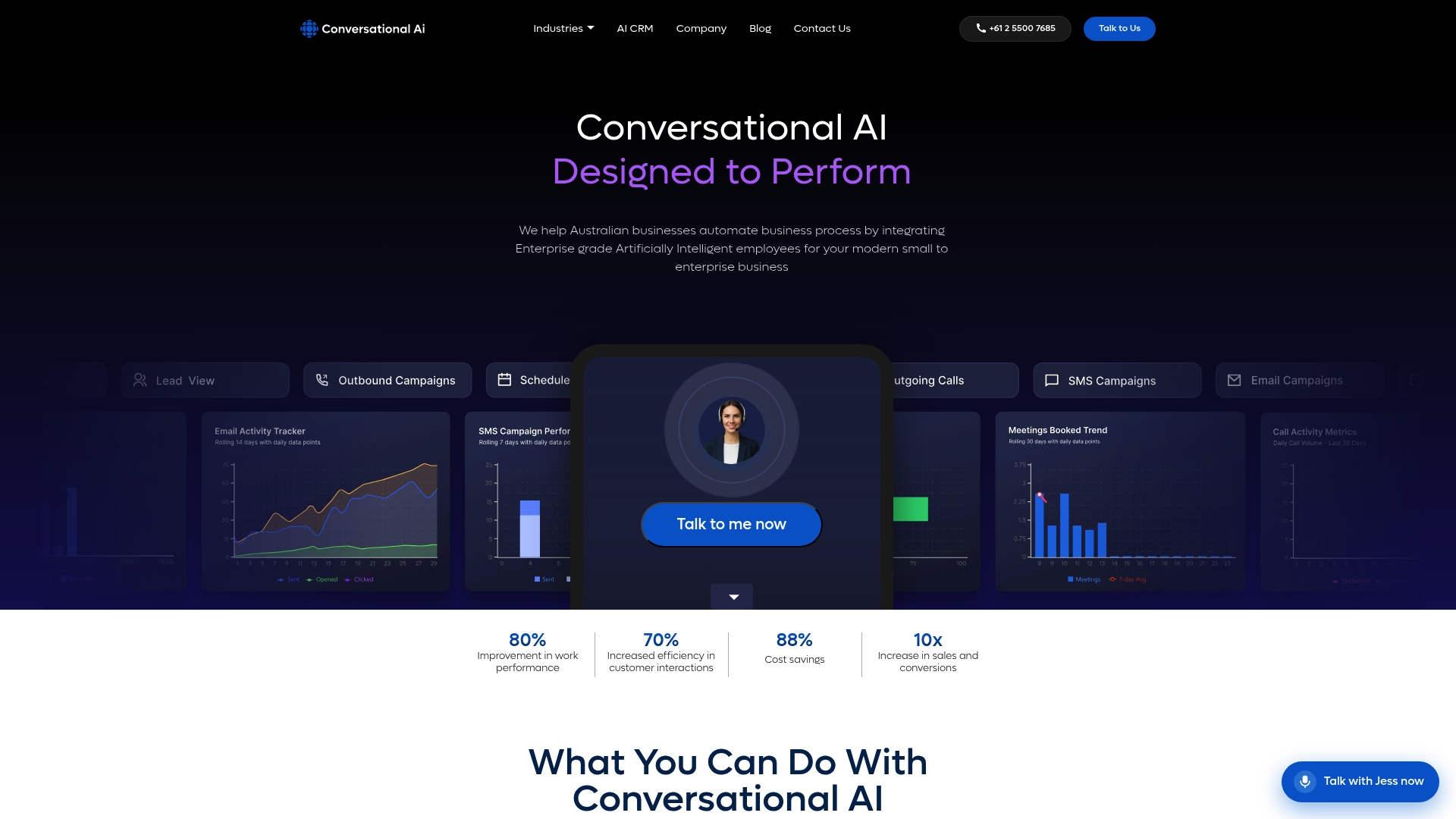
Every mistake covered above traces back to a gap in governance, data control, or operational visibility. The platform is hosted entirely within Australia, which matters directly for the data sovereignty and compliance concerns raised in the security section, giving healthcare, finance, and professional services teams full control over where customer data lives and who can access it. Contextual memory and real-time analytics give the named owner from your governance plan the visibility needed to catch drift early, rather than discovering a broken connector three months after go-live. If you’re mapping a pilot and want a platform designed around ownership and auditability from day one, book a demo through the Conversational AI website and talk through your specific workflow before you scope it.
Recommended
- Common customer engagement automation mistakes to fix now - Conversational AI
- Common AI system integration failures (and how to stop them) - Conversational AI
- Automate customer service operations: 2026 enterprise guide - Conversational AI
- Multichannel automation ROI examples for Australian enterprises - Conversational AI