AI model management: a guide for enterprise practitioners
Explore AI model management to ensure reliable, auditable, and scalable machine learning models throughout their entire lifecycle.

AI model management is the set of people, processes, and tooling that keep machine learning models reliable, auditable, and production-ready across their entire lifecycle. It covers everything from the moment a model is registered after training through to its eventual retirement, and it sits at the intersection of MLOps (machine learning operationalisation) and the broader discipline Gartner defines as ModelOps: governance and full lifecycle management of all AI and decision models, not just ML pipelines.
For enterprise teams, the practical payoff is straightforward: models that are tracked, versioned, monitored, and governed properly fail less often, satisfy auditors more easily, and cost less to maintain at scale.
Core capabilities you should expect from any model-management capability:
- Model registry and versioning — a central store for every model version and its metadata
- Experiment and metadata tracking — lineage from training data through to deployed artefact
- Packaging and deployment — reproducible environment specs and controlled rollout to endpoints
- Performance monitoring and alerting — continuous KPI tracking with drift detection
- CI/CD and promotion pipelines — automated quality gates that block underperforming models
- Access control and audit trail — role-based permissions and immutable change history
- Model cards and approval workflows — documented purpose, risk tier, and sign-off records
- Retirement policies — scheduled deprecation to prevent outdated models persisting in production
Start by auditing which of these your team currently has in place and where the gaps are.
Key takeaways
AI model management is an organisational capability, not a tooling problem — teams that govern models with clear lifecycle controls, audit trails, and retirement policies consistently outperform those that treat deployment as the finish line.
| Point | Details |
|---|---|
| Define it correctly | AI model management covers registry, versioning, deployment, monitoring, governance, and retirement across the full lifecycle. |
| Lifecycle has six stages | Register, package, deploy, monitor, retrain or roll back, and retire — each stage produces artefacts that the next depends on. |
| Three must-have capabilities | A model registry, continuous performance monitoring with drift detection, and automated promotion gates are the minimum viable governance stack. |
| Governance requires evidence | Model cards, approval history, immutable version logs, and retirement records are the audit evidence regulators and internal teams will request. |
| Australia adds residency obligations | Privacy Act obligations and sector-specific rules mean model artefacts and inference logs should remain on Australian soil for regulated industries. |
| Conversational AI for regulated sectors | Conversational AI provides a private, Australia-hosted platform with built-in audit logging, controlled rollouts, and data-sovereignty compliance. |
Table of Contents
- Why does model management matter for enterprise teams?
- What core capabilities must a model-management system provide?
- What does the AI model lifecycle look like in practice?
- Which tools do enterprise teams commonly use for model management?
- How do you keep models reliable after deployment?
- What governance and compliance requirements apply in Australia?
- What are the most common pitfalls in AI model management?
- How do you get started with model management in eight steps?
- Why does a private, Australia-hosted platform simplify all of this?
- Build vs buy: a practitioner’s perspective
- Conversational AI brings model governance to Australian enterprises
- Sources
Why does model management matter for enterprise teams?
A model that worked well at launch will degrade. Training data goes stale, real-world distributions shift, and business rules change. Without a formal management process, that degradation is invisible until it causes a wrong decision at scale — a miscategorised loan application, a misfired clinical triage alert, or a customer churn model recommending the wrong retention offer to thousands of accounts.
The operational risks compound quickly. Unmanaged model sprawl means teams lose track of which version is live, who approved it, and what data it was trained on. When an auditor or regulator asks for evidence, reconstructing that history from scattered notebooks and ad-hoc scripts is expensive and often incomplete. Centralising AI management into a single gateway produces audit evidence automatically rather than forcing teams to reconstruct history after the fact.
The ROI case is concrete. Faster rollouts come from automated promotion pipelines that remove manual handoffs. Fewer production incidents follow from drift alerts that catch degradation before it reaches customers. Audit readiness shortens compliance cycles because every approval, version change, and monitoring event is already logged. As Domino Data Lab notes, teams that treat model management as an organisational capability — with governance, reuse, and measurement — consistently outperform teams that shoehorn models into standard software development workflows.
What core capabilities must a model-management system provide?
Practitioners need a clear checklist to map against their existing tooling and assign ownership. The table below covers the eight capabilities that matter most in enterprise production, the primary artefacts each one produces, and who typically owns it.
| Capability | Primary artefacts produced | Typical owner |
|---|---|---|
| Model registry and versioning | Versioned model package, metadata record, semantic version tag | ML engineer / MLOps |
| Experiment and metadata tracking | Run logs, hyperparameter records, dataset version links | Data scientist |
| Packaging and deployment | Container image, entry script, environment spec, endpoint config | MLOps / DevOps |
| Performance monitoring and alerting | KPI dashboards, drift reports, alert rules, incident logs | ML engineer / SRE |
| CI/CD and promotion pipelines | Pipeline definitions, quality-gate configs, promotion records | DevOps / MLOps |
| Access control and audit trail | Permission policies, change history, approval records | Platform / InfoSec |
| Model cards and approval workflows | Model card document, risk-tier classification, sign-off history | Model owner / Risk |
| Retirement policies | Deprecation schedule, retirement record, successor model link | Model owner / MLOps |
A model registry stores model versions alongside essential metadata — performance metrics, validation results, and lineage — so teams can compare versions and apply semantic versioning for deployment clarity. That single capability alone eliminates the “which version is live?” confusion that plagues teams managing more than a handful of models.
ML Metadata (MLMD) from TensorFlow TFX shows how a metadata store captures provenance, artefacts, and lineage across the full ML lifecycle, giving teams the reproducibility and auditability they need without building custom tracking from scratch.
What does the AI model lifecycle look like in practice?
The lifecycle is a repeating loop, not a one-way pipeline. Each step produces artefacts that the next step depends on, and promotion gates between steps require explicit sign-off before a model advances.
- Register — After training, the model is logged in the registry with its version tag, training-data reference, hyperparameters, and evaluation metrics. This is the artefact of record.
- Package — The model is bundled with its entry script, dependency specification, and environment config into a reproducible deployment unit. Azure Machine Learning supports this step with managed packaging and model conversion capabilities conversion for runtime optimisation, and endpoint configuration.
- Deploy — The packaged model is pushed to an online endpoint (real-time inference), a batch endpoint (scheduled scoring), or an edge/on-device target. Controlled rollout features — such as traffic splitting — allow gradual exposure before full promotion.
- Monitor — Once live, the model is tracked against baseline KPIs. Alerts fire when accuracy, latency, or input-distribution metrics deviate beyond defined thresholds. Microsoft’s Cloud Adoption Framework guidance is clear: monitoring is not a set-and-forget task; it requires continuous detection of degradation and concept drift.
- Retrain or roll back — When monitoring signals degradation, the team either retrains on fresh data and promotes the new version through the same gates, or rolls back to the previous stable version while investigation continues.
- Retire — Models that are superseded, no longer fit for purpose, or past their scheduled review date are formally deprecated. The registry records the retirement date, the reason, and the successor model reference.
The artefacts that travel between steps are the model version, the entry script, the environment spec, the model card, and the monitoring configuration. At each promotion gate, the model owner and a designated approver must sign off that quality thresholds have been met before the model advances.
Which tools do enterprise teams commonly use for model management?
No single tool covers every capability. Most enterprise stacks combine a registry, a tracking layer, a CI/CD platform, and a deployment target. Here are the tools that appear most often in Australian enterprise environments.
Azure Machine Learning handles registration, packaging, deployment to managed online and batch endpoints, metadata capture, and controlled rollout. Its model registry integrates directly with Azure DevOps pipelines, making it a natural fit for organisations already in the Microsoft ecosystem. Azure ML’s model management documentation includes support for ONNX model format conversion conversion for optimisation alongside endpoint management.
MLflow is the most widely adopted open-source tracking and registry tool. It records experiment runs, parameters, metrics, and artefacts, and its model registry supports stage transitions (Staging → Production → Archived) with optional approval steps. MLflow integrates with Azure ML, Databricks, and self-hosted deployments.
GitLab Model Registry combines source control, CI/CD pipelines, and model versioning in one platform. Teams can trigger automated tests and promotion gates directly from merge requests, keeping model governance inside the same workflow as code review.
DVC (Data Version Control) tracks data and model lineage alongside code using Git-compatible versioning. It is particularly useful for teams that need reproducible training pipelines and want to version large datasets without storing them in Git directly.
ONNX (Open Neural Network Exchange) is a model interchange format that can improve runtime performance after conversion and is widely used to optimise models for deployment across different runtimes and hardware targets.
Apache Airflow handles pipeline orchestration, scheduling retraining jobs, and triggering downstream deployment steps when upstream data refreshes.
TensorFlow TFX MLMD provides a metadata store that captures provenance and lineage across the ML lifecycle, as noted above.
PostgreSQL commonly backs metadata stores for MLflow and custom tracking systems, providing a reliable, queryable record of all model versions and run history.
The integration pattern that works best in production connects the model registry to the CI/CD platform (GitLab or Azure DevOps), which triggers automated quality gates before promoting a model to the deployment endpoint. For enterprise AI integration architectures, this registry-to-pipeline-to-endpoint chain is the backbone of a governed deployment process.
The table below compares three common deployment patterns by inference type, latency profile, and typical use case.
| Deployment pattern | Inference type | Latency profile | Typical use case |
|---|---|---|---|
| Online endpoint | Real-time, synchronous | Low (milliseconds) | Customer-facing scoring, fraud detection |
| Batch endpoint | Scheduled, asynchronous | High (minutes to hours) | Overnight scoring, bulk predictions |
| On-device / edge inference | Local, offline-capable | Very low (device-bound) | Mobile apps, IoT, air-gapped environments |
How do you keep models reliable after deployment?
Performance monitoring is where most teams underinvest. The KPIs worth tracking fall into two groups: model quality metrics and operational metrics.
Model quality KPIs:
- Accuracy, precision, recall, and F1 score against a held-out validation set
- Prediction-distribution drift (has the output distribution shifted from baseline?)
- Input-distribution drift (have the features feeding the model changed?)
- Calibration (are predicted probabilities aligned with actual outcomes?)
Operational KPIs:
- Inference latency (p50, p95, p99)
- Throughput (requests per second)
- Error rate and timeout rate
- Resource utilisation (CPU, GPU, memory)
Alert thresholds should be set at two levels. A warning threshold triggers a human review: the model owner investigates whether the drift is transient or structural. A critical threshold triggers an automated rollback or an immediate retraining job, depending on the risk tier of the model. Models with significant impact, such as those influencing financial decisions, clinical pathways, or regulatory reporting, should always require human sign-off before a retrained version is promoted, even when the automated quality gate passes.
Pro Tip: Set your retraining cadence based on how fast your data distribution changes, not on a fixed calendar schedule. A fraud-detection model in a fast-moving environment may need weekly retraining; a document-classification model on stable internal data may be fine with quarterly reviews. Tying cadence to measured drift rates rather than arbitrary schedules reduces both unnecessary retraining cost and the risk of running a degraded model too long.
What governance and compliance requirements apply in Australia?
Governance is the layer that makes model management auditable rather than merely operational. Effective model governance requires model cards, documentation of purpose and data sources, performance thresholds, approval history, and retirement tracking — not as optional extras, but as the evidence base that regulators and internal audit teams will examine.
The controls that matter most in enterprise production:
- Model cards — document the model’s intended use, training data, known limitations, and risk tier before deployment
- Risk-tier classification — assign each model a risk level (low, medium, high) that determines the approval workflow and monitoring intensity required
- Approval workflows — require named sign-off from the model owner and a second reviewer before any model reaches production
- Immutable version history — every change to a registered model must be logged with a timestamp, the identity of the person who made it, and the reason
- Lineage and metadata — training data version, feature pipeline version, and environment spec must travel with the model so any production decision can be traced back to its inputs
- Retirement policy — a formal deprecation schedule prevents zombie models — outdated models that keep running, consuming resources, and producing inaccurate outputs without anyone noticing
For Australian enterprises, two additional considerations apply. First, Australian privacy legislation and principles require that personal information used in model training and inference is handled with appropriate controls, including limits on cross-border data flows. For healthcare, finance, and professional services organisations, this typically means model training data and inference logs must remain on Australian soil. Second, sector-specific recordkeeping obligations — under APRA’s prudential standards for financial services, for example — require that decision-making systems are documented and their outputs are explainable to regulators.
A private, Australia-hosted deployment addresses both requirements directly: data never leaves Australian jurisdiction, and the audit trail is generated locally rather than reconstructed from overseas cloud logs.
What are the most common pitfalls in AI model management?
Most teams hit the same set of problems. Recognising them early saves significant remediation effort.
Undetected drift is the most costly. A model silently degrades over weeks or months because no one set a monitoring baseline at deployment. The mitigation is straightforward: capture a statistical baseline of input and output distributions at the point of deployment and alert on deviations from day one.
Multiple registries emerge when different teams adopt different tools independently. The result is no single source of truth for what is running in production. A centralised registry policy — even if teams use different training frameworks — prevents this fragmentation.
Missing metadata makes models unreproducible. If the training data version, environment spec, or feature pipeline version is not recorded at registration time, the model cannot be reliably retrained or audited. Enforce metadata as a required field in the registry, not an optional one.
Zombie models persist because no one owns the retirement decision. Assign a named model owner to every production model and include a scheduled review date in the model card. When the review date passes without renewal, the model enters a deprecation queue automatically.
Inconsistent promotion gates mean some models reach production through rigorous automated testing while others are pushed manually. Standardise the gate criteria by risk tier and enforce them through the CI/CD pipeline so the process is the same regardless of who is deploying.
On the organisational side: include InfoSec in the model-management design process early, not after a security review flags a gap. Scale governance proportionally — a low-risk internal reporting model does not need the same approval workflow as a customer-facing credit-scoring model.
How do you get started with model management in eight steps?
Start with a single high-value, low-complexity use case. A model that is already in production but poorly tracked is the ideal pilot: it has real stakes, but you are not introducing model management and a new model simultaneously.
- Scope the pilot — choose one production model with a clear business owner and measurable output metric.
- Choose a registry and format — register the model in MLflow, Azure ML, or GitLab Model Registry; convert to ONNX if cross-runtime portability is needed.
- Define KPIs and baselines — capture the model’s current accuracy, latency, and input-distribution statistics as the monitoring baseline.
- Create a model card — document intended use, training data, known limitations, and risk tier before the next deployment.
- Build monitoring — instrument the inference endpoint to emit KPI metrics to a dashboard; set warning and critical alert thresholds.
- Establish promotion gates — define the minimum quality thresholds a new version must pass before it can replace the current production model; automate the check in your CI/CD pipeline.
- Run a controlled rollout — use traffic splitting or a canary deployment to expose the new version to a small percentage of traffic before full promotion.
- Schedule retirement — set a review date in the model card and assign the model owner responsibility for renewing or deprecating at that date.
Success for the pilot looks like: one model with a complete audit trail from training to deployment, a live monitoring dashboard with at least one alert that has fired and been resolved, and a documented promotion gate that blocked at least one candidate version. From there, extend the same process to the next two or three models before scaling the tooling investment. For teams integrating with existing enterprise systems, AI system integration guidance for Australian enterprises covers the practical connection patterns in detail.
Why does a private, Australia-hosted platform simplify all of this?
Building a complete model-management stack in-house is achievable, but the operational overhead is real. You need to deploy and maintain a registry, a metadata store, a monitoring layer, a CI/CD integration, and an audit-log system — and keep all of them compliant with Australian data-residency requirements simultaneously.
A private, Australia-hosted platform addresses several of these concerns at once:
- Data sovereignty — all model artefacts, training data, and inference logs remain within Australian borders, satisfying Privacy Act obligations and sector-specific recordkeeping requirements without additional configuration
- Unified audit evidence — a centralised gateway generates approval records, version history, and monitoring events in one place, so audit preparation is a query rather than a reconstruction exercise
- Controlled rollouts — traffic-splitting and canary deployment features are available without custom infrastructure work
- Retirement tracking — deprecation schedules and successor-model links are maintained in the platform rather than in spreadsheets
- Local support and integration — Australian-based support teams and pre-built connectors to local CRM and enterprise systems reduce integration friction for legacy system environments
For regulated sectors — healthcare, financial services, professional services — the combination of local data residency and a unified audit trail is not a convenience; it is a compliance requirement that a DIY multi-cloud stack struggles to satisfy consistently.
Build vs buy: a practitioner’s perspective
Most regulated Australian enterprises should start with a focused pilot using open-source tooling (MLflow plus a cloud registry), then reassess the build-vs-buy question once the governance requirements become concrete. The pilot reveals the real cost: not the software licences, but the engineering time spent maintaining metadata stores, writing promotion-gate logic, and keeping monitoring dashboards current.
The decision criteria are practical. If your team has deep platform engineering capability, low compliance burden, and a small model portfolio, building on open-source tools is viable. If you are operating in a regulated sector, managing more than a dozen production models, or facing audit cycles that require complete lineage evidence, the total cost of ownership of a managed private platform is often lower than the in-house alternative within 12–18 months.
The guiding rule is simple: start small, centralise controls, automate promotion. Every governance shortcut taken early becomes a remediation project later, usually at the worst possible time — during an audit or a production incident.
Conversational AI brings model governance to Australian enterprises
Australian enterprises running AI in regulated sectors need more than a checklist. They need a platform where governance, data residency, and operational control are built in from the start, not bolted on after a compliance gap surfaces.
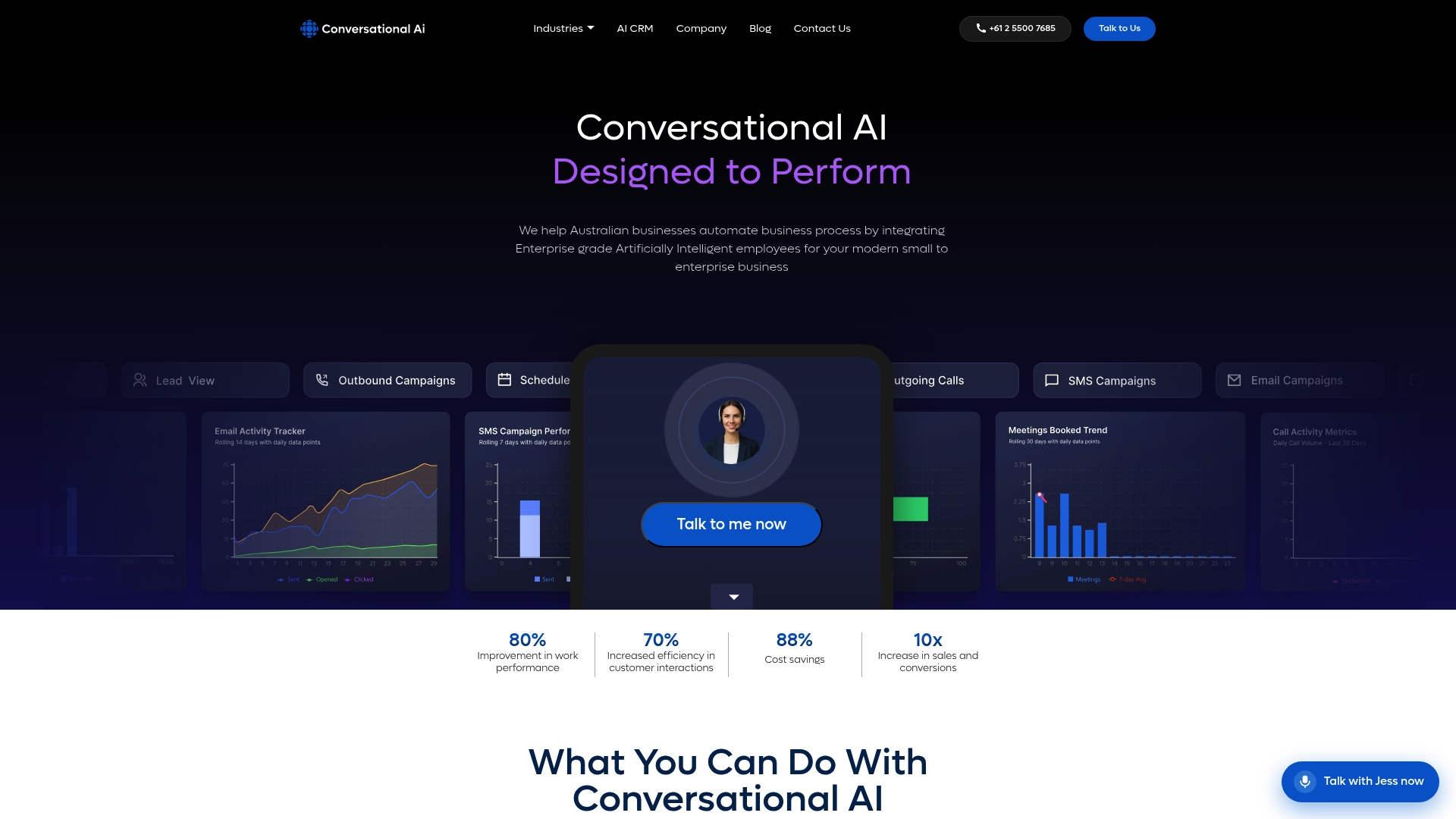
Conversational AI is a private-cloud, Australia-hosted platform built for exactly this environment. It provides multichannel AI agents across voice, SMS, email, and live chat, with all data remaining on Australian soil to satisfy Privacy Act and sector-specific recordkeeping obligations. The platform’s centralised gateway handles inference routing, audit logging, and controlled rollouts without requiring your team to stitch together separate registry, monitoring, and CI/CD tools. For healthcare, finance, and professional services organisations that need complete audit evidence and retirement tracking without the overhead of a DIY stack, it replaces significant infrastructure complexity with a managed, compliant solution.
To see how the platform maps to your model-management requirements, contact the Conversational AI team for a demonstration tailored to your sector.
Sources
The following references are worth bookmarking as you implement or extend your model-management capability.
- Manage AI - Guidance to set up your organization’s AI management process - Cloud Adoption Framework | Microsoft Learn
- Model management and deployment - Azure Machine Learning
- AI model governance: How to track, audit, and control AI models in production | Collibra
- Machine learning model management | Domino Data Lab
- Model registry | GitLab
Recommended
- Types of enterprise AI integration architectures: 2026 guide - Conversational AI
- Private AI deployment explained for enterprise IT teams - Conversational AI
- How CRM AI synchronisation works: an enterprise guide - Conversational AI
- Multichannel AI agent deployment guide for enterprises - Conversational AI