Connect live chat AI to your CRM: 2026 guide
Learn how to connect live chat AI to your CRM in 2026. Boost lead conversions and sales productivity with seamless integration. Discover more!

Connecting live chat AI to your CRM is defined as the process of syncing AI-powered chat agents with your customer relationship management system so that every conversation automatically updates contact records, triggers workflows, and informs future interactions. For medium to large Australian enterprises, this integration is the difference between a chat widget that collects dust and one that qualifies leads, books appointments, and feeds your sales pipeline around the clock. Enterprises using integrated live chat and CRM report up to 60% higher lead conversion rates and 29% better sales productivity. Those numbers reflect what happens when AI automation replaces manual data entry at scale.
How to connect live chat AI to your CRM: tools and prerequisites
Before you touch a single API key, you need the right components in place. The integration stack has three layers: your AI live chat platform, your CRM system, and the connector that links them.

Choosing your integration method
Three main approaches exist for live chat integration with CRM systems.
- Native connectors: Built directly into the platform. Setup is fast, often under 10 minutes, and requires no coding. The trade-off is limited customisation.
- Visual integration platforms: Tools like Albato map trigger events from your live chat tool to CRM action events through a drag-and-drop interface. These cover hundreds of platform combinations and eliminate manual CSV imports entirely.
- Custom API or webhook setups: The most flexible option. Setup takes up to two hours on average but gives your team full control over data flow and field mapping.
Your choice depends on your team’s technical capability and how much customisation your CRM workflows require. Enterprise teams with dedicated IT resources typically benefit most from the API or webhook approach.
Technical prerequisites
Before starting, confirm you have the following in place:
- API keys or OAuth tokens for both your live chat platform and your CRM. These authenticate the connection and must be stored securely, never hardcoded into scripts.
- Webhook URLs from your CRM to receive incoming data from the chat platform.
- Unique identifiers defined across both systems. Email address or a Contact ID field works well. Consistent unique identifiers prevent duplicate records and keep your CRM data clean from day one.
- Field mapping documentation: A spreadsheet listing every chat data point you want to capture (visitor email, intent score, chat transcript) alongside the corresponding CRM field.
Pro Tip: Before enabling any sync, run a full audit of your CRM’s existing contact records. Duplicate or incomplete records will compound once automated data starts flowing in.
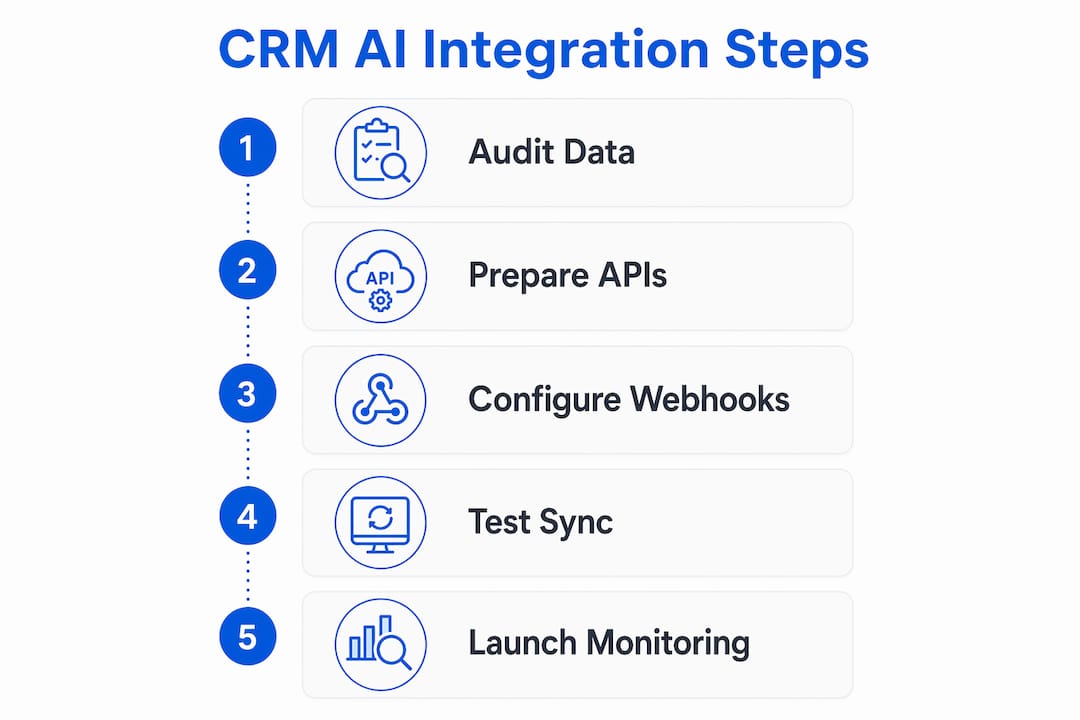
Step-by-step process to connect live chat AI with CRM
A structured approach prevents the most common integration failures. Follow these steps in order.
-
Generate API credentials. Log into your live chat platform’s developer settings and create a new API key. Do the same in your CRM. Store both credentials in a secrets manager or environment variable, not in plain text.
-
Configure your authentication method. Most enterprise platforms support OAuth 2.0 for secure token exchange. If your CRM uses API key authentication instead, pass the key in the request header using the
Authorizationfield. Test the connection with a basic GET request before proceeding. -
Map your data fields. This is the most critical step. Match each live chat data point to the correct CRM field. Standard mappings include visitor email to CRM contact email, chat transcript to a notes or activity field, and intent score to a custom lead scoring field. Mapping custom fields like intent scores and session duration gives your CRM records far more context than a basic contact form ever could.
-
Set up webhooks or automation triggers. In your live chat platform, create a webhook that fires when a conversation ends or when a lead qualification threshold is met. Point the webhook at your CRM’s inbound endpoint. Configure the trigger conditions carefully. Firing on every single message creates unnecessary load.
-
Activate bidirectional sync. One-way sync pushes chat data into your CRM. Bidirectional sync goes further: the AI chat agent pulls real-time CRM data during a live conversation, such as a customer’s deal stage or purchase history, and uses it to personalise responses. This transforms routine automation into genuinely intelligent customer engagement.
-
Test with sample data. Create a test contact in your CRM and run a simulated chat conversation. Verify that the contact record updates correctly, the transcript appears in the right field, and no duplicate records are created. Check your CRM’s activity log to confirm the data arrived with the correct timestamp.
Pro Tip: Test your webhook with a tool like Postman before going live. Send a sample payload manually and inspect the CRM response. This catches field mismatches before real customer data is involved.
The role of AI chatbots in customer support has expanded well beyond simple FAQ responses. When connected to a CRM, an AI agent can autonomously handle up to 80% of routine queries, freeing your human team for complex cases that genuinely need their attention.
Best practices for data mapping, security, and CRM data integrity
Getting the integration running is one thing. Keeping your CRM data accurate and secure over time is another challenge entirely.
Data mapping and deduplication
Consistent field mapping is the foundation of clean CRM data. Every chat session should write to the same fields in the same format. Inconsistencies, such as storing phone numbers as both “+61412345678” and “0412 345 678,” create reporting errors and break automation rules downstream.
- Map both standard fields (name, email, phone) and custom fields (chat tags, sentiment score, session duration).
- Set deduplication rules in your CRM to check for an existing contact by email before creating a new record.
- Use a data validation rule to reject records missing a unique identifier entirely.
- Review field mapping quarterly as your AI chat flows evolve and new data points become available.
Securing your data transfer
Securing webhook data flow requires HTTPS on all endpoints, HMAC signature verification on every incoming payload, and endpoint design that returns a 2xx status code immediately while processing data asynchronously. Skipping any one of these steps exposes your integration to data tampering and timeout failures that corrupt CRM records.
HMAC verification works by comparing a hash of the incoming payload against a shared secret. If the hashes do not match, the payload is rejected before it touches your CRM. This is a non-negotiable control for any enterprise handling customer data under Australian Privacy Act obligations.
Webhook endpoints should respond with a success status code within milliseconds and handle the actual data processing in a background queue. This prevents timeouts when your CRM is under load during peak traffic periods.
What are the most common live chat CRM integration problems?
Even well-planned integrations hit friction. Knowing the common failure points in advance saves hours of troubleshooting.
- API rate limiting: Most CRM platforms cap the number of API calls per minute. High-volume chat environments can hit these limits during peak hours. The fix is to batch your sync requests or use a queue to spread the load.
- Field mismatches: A chat platform may send a date in ISO 8601 format while your CRM expects a different date format. These silent mismatches write blank or corrupted data to your records. Always validate field formats during testing, not after go-live.
- Authentication token expiry: OAuth tokens expire. Build automatic token refresh logic into your integration from the start, or your sync will silently fail when the token lapses.
- Duplicate records: If your deduplication logic is not configured before enabling sync, every new chat session may create a new contact record. Clean-up after the fact is time-consuming and error-prone.
- Webhook delivery failures: Webhooks can fail if your CRM endpoint is temporarily unavailable. Configure retry logic with exponential backoff so missed events are retried automatically rather than lost.
Pro Tip: Set up a monitoring alert on your webhook endpoint’s error rate. A spike in 4xx or 5xx responses is the earliest signal that your integration has broken, often before your team notices any data gaps.
Ongoing monitoring matters as much as the initial setup. Migrating legacy systems to AI-powered chat infrastructure introduces new data flows that need regular review as your business processes change.
Key takeaways
Connecting live chat AI to your CRM delivers measurable gains only when bidirectional sync, clean data mapping, and webhook security are all in place from the start.
| Point | Details |
|---|---|
| Define unique identifiers first | Set email or Contact ID as the deduplication key before enabling any sync. |
| Choose the right connector | Native tools suit speed; custom API setups suit complex enterprise workflows. |
| Activate bidirectional sync | Pull real-time CRM data into chat responses to personalise every conversation. |
| Secure every webhook | Use HTTPS and HMAC verification to protect data transfer and prevent corruption. |
| Monitor continuously | Track webhook error rates and API usage to catch failures before they affect data quality. |
What I have learned from live chat CRM integrations in Australian enterprises
Working with Australian enterprises on AI chat integration has taught me one consistent lesson: teams that prioritise bidirectional sync from the outset see dramatically better engagement outcomes than those who treat the CRM as a passive data dump. The difference is not technical complexity. It is intent. When your AI agent can see a customer’s open support ticket or recent purchase during a live chat, the conversation shifts from transactional to genuinely helpful.
The second thing I have noticed is that the choice of integration method matters less than most teams assume. A well-configured visual platform like Albato can outperform a poorly documented custom API setup every time. What actually determines success is the quality of your field mapping documentation and whether your team has defined deduplication rules before go-live.
The hardest lesson to communicate is this: the AI deployment pipeline does not end at launch. The enterprises that extract the most value from their integrations are the ones that review CRM analytics monthly, refine their AI chat flows based on what the data shows, and treat the integration as a living system rather than a one-time project. That mindset is what separates a 30% efficiency gain from an 80% one.
— Sowrabh
How Conversational AI supports your CRM integration
Australian enterprises ready to move from planning to production need a platform built for the local regulatory environment and enterprise-grade data requirements.
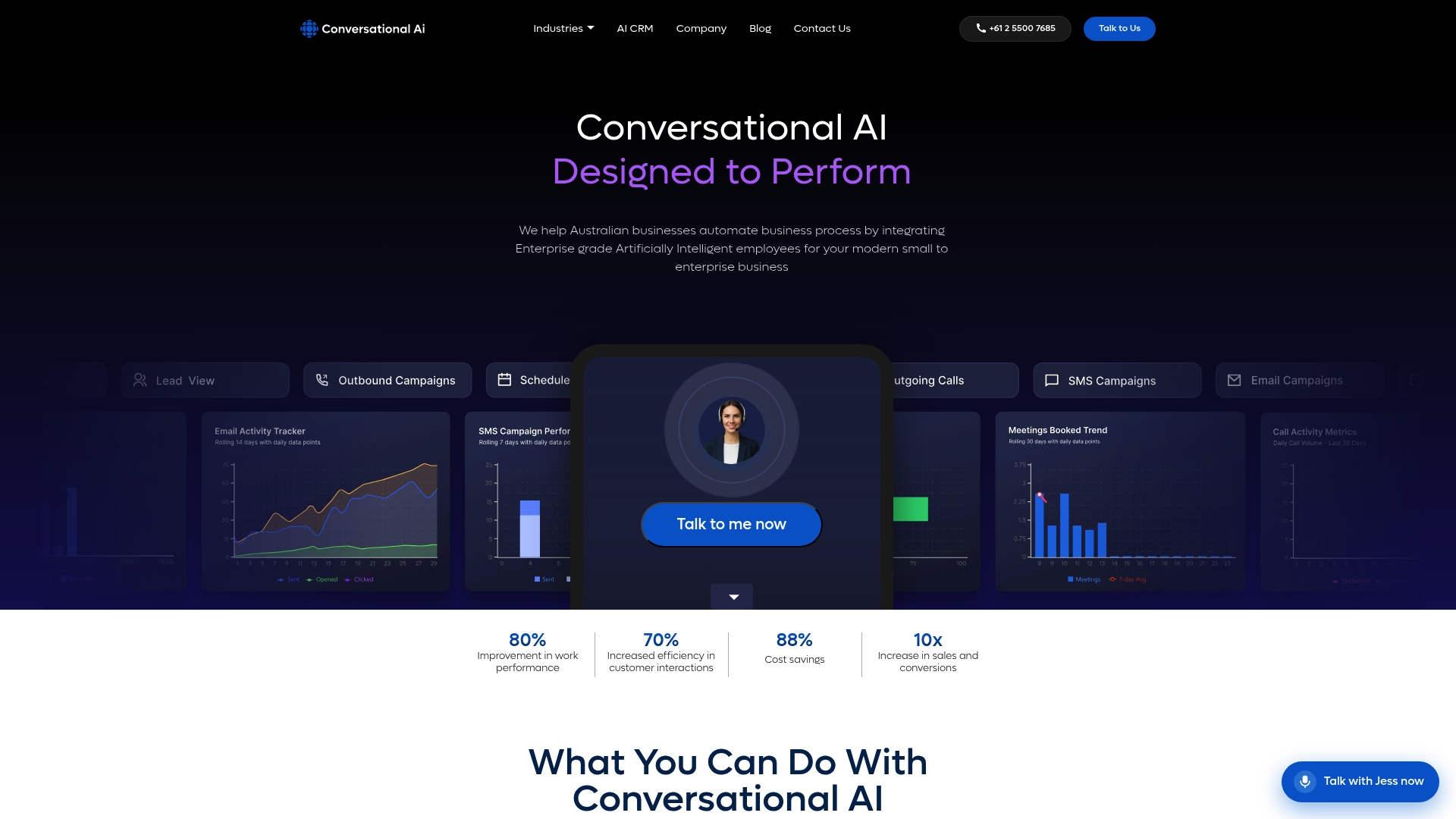
Conversational AI offers native CRM integrations with AI-powered agents across live chat, voice, SMS, and email, all hosted within Australia to meet data sovereignty requirements. The platform’s AI agents handle a high volume of routine queries autonomously, with expert teams completing integration setup in under two hours. Whether you are connecting to an existing CRM or building out a new workflow, Conversational AI’s team works with your IT staff to configure field mapping, bidirectional sync, and security controls from day one.
FAQ
What does it mean to connect live chat AI to a CRM?
Connecting live chat AI to a CRM means the AI chat agent automatically writes conversation data, such as contact details, chat transcripts, and intent scores, directly into your CRM records in real time.
How long does live chat CRM integration take to set up?
Native connectors typically take under 10 minutes. Custom API or webhook setups take up to two hours, depending on the complexity of your field mapping and authentication requirements.
What is bidirectional sync in live chat CRM integration?
Bidirectional sync allows the AI chat agent to both write data to the CRM and pull real-time CRM data during a conversation, enabling personalised responses based on a customer’s history, deal stage, or open tickets.
How do I prevent duplicate records when syncing chat data to my CRM?
Define a unique identifier, such as email address or Contact ID, and configure your CRM’s deduplication rules to check for an existing record before creating a new one.
Is live chat CRM integration secure for Australian enterprises?
Yes, provided you use HTTPS on all endpoints, verify webhook payloads with HMAC signatures, and store API credentials in a secrets manager rather than in plain text code.