Automate multichannel follow-ups: a 7-step setup for sales teams
Discover how to automate multichannel follow-ups for your sales team. Boost response rates and streamline your lead management effortlessly.

An automated multichannel follow-up system captures a lead once, then works across email, SMS, phone, and LinkedIn on a schedule and logic your team sets in advance, without a rep having to remember to send anything. The single fastest way to see results: unify every lead source into one CRM record and run one tested seven-touch sequence before you build anything more complicated.
Most clinics, agencies, and sales floors get this backwards. They buy five tools, wire them together loosely, and wonder why leads fall through gaps between systems. Start narrow instead. Pick your highest-volume lead source, route it through a single sequence, and measure two things only.
- Speed to first contact: the time between a lead arriving and the first automated touch going out (aim for under five minutes on hot inbound leads)
- Reply or meeting uplift: the percentage jump in responses or bookings compared with your current manual process
If those two numbers move in the right direction within two to three weeks, you have proof the architecture works before you spend a cent on expanding it to voice bots, additional channels, or a second lead source. Get the foundation right first. Everything else in this guide builds on that single starter sequence.
Key Takeaways
Automated multichannel follow-up systems succeed when lead capture is unified, exit conditions stop messaging on reply, and a central compliance gate propagates suppression across every channel instantly.
| Point | Details |
|---|---|
| Start with one pilot source | Run your first sequence on a single high-volume lead source before expanding to others. |
| Stop-on-reply is non-negotiable | Every channel must pause immediately once a prospect replies, books, or opts out. |
| Branch on behaviour, not schedule | Use opens, clicks, and call outcomes to decide the next touch and channel. |
| Track three core metrics | Monitor speed to first contact, reply rate, and lead-to-meeting rate weekly during a pilot. |
| Centralise compliance across channels | A single suppression gate prevents opt-outs on one channel leaking into another. |
| Conversational AI handles this natively | Its Australia-hosted platform bundles unified suppression, CRM write-back, and contextual memory across channels. |
Table of Contents
- Case studies illustrating successful multichannel follow-up campaigns
- Compliance considerations and legal best practices
- What an automated follow-up system actually covers
- Why automate follow-ups: the business case
- How an automated follow-up system works
- Essential features to require from your follow-up tooling
- How to build and pilot your first sequence in 7 steps
- Multi-channel strategies that boost replies without annoying leads
- Best practices and the pitfalls that break automations
- Metrics and dashboards to prove impact
- Enterprise implementation notes from Conversational AI
- Design beats persistence: an editorial take
- Get enterprise multichannel automation with data sovereignty built in
- Frequently asked questions
- Sources
Case studies illustrating successful multichannel follow-up campaigns
A regional real estate brokerage running seven offices consolidated inbound portal leads, website chat submissions, and open-home sign-ins into one CRM pipeline in 2024. Before automation, agents were manually calling leads an average of six hours after submission. After building a sequence combining an instant SMS, a same-day call task, and follow-up emails over a few days, the brokerage cut first-contact time significantly and saw meeting bookings rise noticeably within the first month.
A mid-sized accounting firm targeting SME clients used a similar pattern for tax season lead follow-up. Leads captured through a website calculator tool triggered an email plus a LinkedIn connection request from the assigned partner, with a phone call task queued if no reply arrived within 48 hours. The firm reported shorter sales cycles because prospects who might otherwise cool off over a weekend received a relevant touch on a channel they actually checked.
A healthcare device distributor selling into hospital procurement teams took the opposite approach: a slower, five-touch cadence stretched across three weeks, weighted toward LinkedIn and email rather than SMS, out of respect for how procurement officers work. Aggressive daily touches performed worse in early testing than a paced, professional cadence. The lesson across all three: the channel mix has to match how the buyer actually behaves, not a generic template.
Compliance considerations and legal best practices
Multichannel automation touches several overlapping legal frameworks, and getting this wrong is expensive. Australian businesses sending marketing messages must comply with the Spam Act 2003 for email and the Do Not Call Register Act 2006 for telemarketing calls and SMS. Both require clear consent before you message someone commercially, plus a working unsubscribe or opt-out mechanism on every send.
If your leads or customers include people in the European Union, GDPR obligations apply regardless of where your business is based, covering consent, data minimisation, and the right to erasure. US-facing sequences that include calls or texts fall under the Telephone Consumer Protection Act (TCPA), which imposes strict consent rules on autodialled calls and texts and carries real financial penalties for violations.
The practical fix is the same across every jurisdiction: build a single compliance gate that every channel checks before sending, rather than managing opt-outs separately per channel. When someone unsubscribes from email, that flag has to block SMS, calls, and LinkedIn outreach from the same system, not just the channel they opted out of. This is where most in-house builds fail. Teams wire up email suppression properly, then forget SMS platforms and calling tools check the same flag.
Document your consent basis for each lead source. A form submission with a clear opt-in checkbox is different from a business card collected at a trade show, and your sequence design should reflect that difference in tone and channel choice, not just legal cover.
What an automated follow-up system actually covers
An automated follow-up system has a defined scope: it captures a lead, writes it into your CRM, runs a pre-built sequence of touches across channels, and hands the lead to a human at a decision point. It does not run your entire sales process, and treating it like it does is where most implementations go wrong.
The core chain looks like this:
- Capture: a form, call, chat, or third-party lead source pushes a new record in
- CRM write: that record lands in a single system of record, not scattered across five tools
- Sequencing: a pre-built cadence of emails, texts, calls, and LinkedIn touches fires on a schedule
- Hand-off: a human takes over once the lead replies, books, or hits a defined threshold
This differs from a simple marketing drip campaign in one important way. Drips are one-directional and channel-locked, usually just email, running on a fixed calendar regardless of what the recipient does. A proper follow-up system branches based on behaviour, mixes channels deliberately, and stops the moment a human needs to step in.
Where should automation stop? At the negotiation. Once a prospect is actively discussing terms, pricing, or specific objections, that conversation belongs with a rep, not a sequence. Automation’s job is to get qualified attention to a human faster, not to close deals on its own. Confusing those two roles is how businesses end up sending a “just checking in” email to someone already mid-negotiation with their sales manager, which looks careless and undermines trust.
Why automate follow-ups: the business case
The core problem automation solves is simple: leads go cold fast, and most sales teams cannot manually follow up fast enough or consistently enough to stop that from happening. A lead sitting in an inbox for six hours has already started looking at other options. Automated sequences close that gap by firing the first touch within minutes, on whichever channel the lead is most likely to check first.
Pro Tip: Track your current average time-to-first-contact for one week before automating anything. That single baseline number is the clearest before-and-after proof you’ll have when you present results to leadership.
Beyond speed, automation gives reps back hours they currently spend on manual, repetitive outreach: writing the third “checking in” email of the day, dialling numbers that don’t answer, or remembering which lead needs a nudge today. That reclaimed time goes toward the calls and conversations that actually need a human, which increases how many qualified leads a single rep can work through in a week.
Gartner predicts that by 2028, AI agents will outnumber human sellers by 10 to 1, yet fewer than 40% of sellers expect to report a genuine productivity gain from them. The gap isn’t the technology. It’s whether the agents are wired into clear processes and hand-off rules.
That statistic matters because it points to the actual risk in this whole category: buying automation software without designing the sequencing logic, exit conditions, and hand-off points around it. Pipeline visibility improves too, since every touch gets logged automatically rather than living in a rep’s memory or a scattered spreadsheet, giving sales leaders a real picture of where leads stall.
How an automated follow-up system works
Underneath the marketing language, every credible multichannel system is built from five components that pass a lead along like a relay race. Understanding this architecture matters more than any single feature, because it’s what lets you evaluate a vendor proposal or spot the gap in a system you’ve already built.
Lead capture and one front door. Every lead source, whether a web form, a phone call, a chat widget, or a third-party ad platform, needs to funnel into a single entry point that writes to your CRM. Two front doors mean duplicate records and broken sequencing.
Routing and assignment. Once a lead lands, rules decide who owns it and which sequence it enters. This might be based on lead source, deal size, industry, or geography.
The sequencer. This is the engine that fires touches on schedule, checks for triggers like an email open or a missed call, and branches the lead down a different path based on behaviour. Behaviour-based triggers are what separate a genuinely responsive system from a rigid drip campaign.
Channel workers and a unified reply queue. Separate services handle the actual sending, email, SMS, voice, LinkedIn, but every reply needs to funnel back into one queue a human can monitor, regardless of which channel it arrived on.
CRM write-back and reporting. Every send, open, click, and reply gets logged against the lead record automatically, so reporting reflects reality rather than what a rep remembers to note down.
| Component | What it does | Fails when |
|---|---|---|
| Lead capture | Feeds all sources into one CRM record | Multiple entry points create duplicate or orphaned leads |
| Routing | Assigns owner and starting sequence | Rules are too broad, leads land with the wrong rep |
| Sequencer | Fires touches, checks triggers, branches | No exit conditions, sequence keeps running after a reply |
| Channel workers | Send email, SMS, voice, LinkedIn touches | Suppression isn’t shared, a stopped lead gets messaged anyway |
| CRM write-back | Logs every touch and outcome | Data lags or doesn’t sync, reporting misleads leadership |
Miss any one of these five and the whole system develops a blind spot, usually the kind that surfaces as an angry unsubscribe reply six weeks after you launched.
Essential features to require from your follow-up tooling
Whatever platform you’re evaluating, whether it’s a point solution or part of a bigger CRM suite, hold it to the same checklist. Vendors love to demo the flashy parts and skip the boring plumbing that actually determines whether your sequences work in production.
- Conditional branching with per-channel pacing. The system needs to change the next touch based on what happened on the last one, and it needs separate pacing controls per channel so you’re not sending five emails and three texts in the same day.
- Suppression that’s actually shared across channels. An opt-out on SMS has to block email and voice instantly, not after a nightly sync job. This is the single most common technical failure point in multichannel builds.
- Real-time CRM sync and full activity logging. Every send, reply, and status change should write back to the CRM as it happens, not in a batch job that runs overnight.
- Personalisation tokens beyond first name. Company size, industry, last interaction, and deal stage should all be available as merge fields, because a sequence that only personalises the greeting reads as automated within one line.
- Send-time optimisation. The system should learn or let you configure when a specific lead segment is most likely to open or answer, rather than blasting every touch at 9am regardless of time zone or role.
- Task reminders for manual touches and clear hand-off signals. When a lead needs a human call or a personalised note, the system should create a task with full context, not just drop the lead into a rep’s queue with no history attached.
Pro Tip: Ask any vendor to show you the suppression logic live, not in a slide deck. Type a test opt-out into one channel and watch whether it blocks the others in real time. If they can’t demonstrate that, walk away.
How to build and pilot your first sequence in 7 steps
Building a multichannel system from scratch feels like a big project. Broken into seven steps and piloted on one lead source, it’s a week of setup work, not a quarter-long initiative.
- Map and unify your lead sources, then pick one for the pilot. List every place leads currently enter your business, forms, ads, referrals, trade shows, and choose the single highest-volume, most consistent source to pilot with first. Running the whole stack across every source on day one is how projects stall.
- Define stages and owner rules. Decide what “new,” “contacted,” “engaged,” and “qualified” actually mean for your business, and document who owns a lead at each stage so the sequence knows when to hand off.
- Design a starter seven-touch cadence. A workable structure spreads touches across roughly two weeks: an immediate email plus SMS on day one, a phone call attempt on day two, a value-add email on day four, a LinkedIn touch on day six, another call attempt on day nine, and a final breakup email around day twelve. Staged cadences mixing email, calls, SMS, and LinkedIn with a clear breakup message on the final day are a proven starting structure for inbound B2B leads.
- Configure triggers, branching, and exit conditions before you configure anything else. An open should route differently to a click, and a call answered should stop the sequence entirely. HubSpot’s own sequence guidance backs behaviour-based triggers and a stop-on-reply rule as the two non-negotiables of any working cadence.
- Set up deliverability and list hygiene before you send at volume. Authenticate your sending domain with SPF, DKIM, and DMARC, warm up new sending accounts gradually, and monitor bounce and complaint rates from day one, not after your first blacklisting.
- Implement one central compliance and suppression gate. Every channel worker, email, SMS, voice, LinkedIn, checks this single gate before sending anything, so a reply or opt-out on any channel instantly silences the rest.
- Test with real leads, watch the numbers for two weeks, then iterate. Run the pilot on live leads rather than test data, track speed-to-first-contact and reply rate daily, and adjust timing or copy based on what the data actually shows rather than what you assumed would work.
| Approach | Setup effort | Risk if compliance gate is missing |
|---|---|---|
| Single pilot source, seven-touch cadence | Low, one week | Contained, easy to fix before scaling |
| Full multichannel rollout across all sources at once | High, multi-week | Widespread, opt-outs leak across untested channel pairs |
Stopping automated messaging the moment a prospect replies, books, or opts out isn’t optional. Continuing a sequence after someone has already responded is one of the most common and most damaging mistakes in this whole category, and it’s entirely avoidable with proper exit conditions built in from step four.
Multi-channel strategies that boost replies without annoying leads
Each channel has a job to do, and the mistake most teams make is treating all channels as interchangeable rather than complementary. Email is your backbone: durable, easy to personalise at scale, and the channel most professionals still expect for detailed information. Phone calls earn their place for high-intent leads, someone who’s clicked a pricing page three times deserves a call attempt, not another email. LinkedIn works best for reaching executives and senior decision-makers who may ignore a cold email but will glance at a relevant connection request from someone in their industry. SMS is your tool for genuinely time-sensitive items: a booking confirmation, a reminder, a last-day-of-offer nudge, not a full sales pitch.
The real lift comes from branching based on what a lead actually does, not from simply adding more channels to a static sequence. Cross-channel branching, using opens, clicks, and call outcomes to decide the next touch, is where multichannel orchestration earns its name. A lead who opens three emails but never clicks might be ready for a phone call. A lead who clicks through to a pricing page but doesn’t reply to email might respond better to a direct LinkedIn message. A call that goes to voicemail should trigger a follow-up SMS within the hour, while a completed call that ends in “call me next month” should pause the sequence and set a task, not keep firing emails in the meantime.
- Opens without clicks suggest interest without urgency, worth a call attempt
- Clicks without replies suggest active research, worth a more targeted LinkedIn touch
- A voicemail suggests a busy prospect, worth a same-day SMS rather than another call attempt
- A “not now” reply suggests timing, not disinterest, worth a scheduled pause rather than a stop
Before adding SMS, WhatsApp, or personalised video to a sequence, check your consent basis. SMS and WhatsApp carry stricter consent requirements than email in most jurisdictions, and a channel added without proper opt-in can create legal exposure that outweighs any reply-rate gain.
Pro Tip: Cap SMS touches at one or two per sequence, even for hot leads. It’s the channel most likely to feel intrusive if overused, and platforms increasingly throttle senders who push volume without matching engagement.
Respect per-channel quotas too. LinkedIn limits connection requests and messages per day, and pushing past those limits gets accounts flagged or restricted, which kills the channel for every sequence running through it, not just the one that triggered the cap.
Best practices and the pitfalls that break automations
Most multichannel failures trace back to a handful of repeatable mistakes, and nearly all of them are fixable with better upfront design rather than more technology.
- Enforce stop-on-reply and soft-stop branching everywhere, not just in your primary channel. Automated sequences should pause the instant a prospect replies, books a meeting, or hits a defined goal, and that rule has to apply identically whether the reply came by email, SMS, or a comment on a LinkedIn post.
- Centralise suppression so a STOP on one channel blocks every channel. This is worth repeating because it’s the single most frequent enterprise build failure: teams get email suppression right and forget the SMS platform and dialler check the same flag.
- Warm your sending infrastructure and cap volumes before scaling. Authenticating a domain and warming an account gradually protects your sender reputation, and a damaged reputation is slow and expensive to repair.
- Keep templates focused on genuine value, not on the fact that you’re following up. A sequence full of “just checking in” and “circling back” messages reads as automated and adds nothing the prospect wants to open.
The insight that separates working systems from broken ones isn’t longer sequences or more channels. It’s unambiguous rules and hand-offs: a system that knows exactly when to stop, exactly who owns the next step, and exactly what counts as a genuine reply versus an auto-response. Teams that chase reply rates by adding touches without fixing that design almost always see engagement fall further, not climb.
Metrics and dashboards to prove impact
Three numbers matter more than the rest, and if your dashboard doesn’t surface these clearly, you’re flying without the instruments that actually predict revenue.
Speed to first contact measures the gap between lead capture and the first automated touch, and it should sit in minutes, not hours, for any inbound source. Reply rate tracks what percentage of leads respond to any touch in the sequence, giving you a read on whether your messaging and channel mix are landing. Lead-to-meeting rate measures how many of those replies convert into an actual booked meeting, which is the number that ties directly back to pipeline.
Beyond those three, watch sequence completion and drop-off. If most leads exit at touch three, that’s a signal touch three’s channel or messaging needs work, not that the whole cadence is broken. And build in multi-touch attribution and cost-per-booked-meeting so leadership can see which channel combinations are actually earning their place in the sequence versus which ones are just adding noise and cost.
| Metric | What it tells you | Watch for |
|---|---|---|
| Speed to first contact | How fast leads get their first touch | Anything over an hour on hot inbound leads |
| Reply rate | Whether messaging and channel mix are working | A steep drop after a specific touch or channel |
| Lead-to-meeting rate | Real pipeline impact of the sequence | Replies that never convert to booked time |
| Sequence completion | Where leads exit the cadence | A consistent drop-off point worth redesigning |
| Cost-per-booked-meeting | Efficiency of the whole channel mix | Channels costing more than the meetings they produce |
Review these weekly during a pilot and monthly once a sequence is stable. A number that looks fine in isolation, say, a solid reply rate, can still hide a problem if lead-to-meeting rate is flat, which usually means the replies you’re getting aren’t from qualified leads in the first place.
Enterprise implementation notes from Conversational AI
Deploying multichannel follow-ups at enterprise scale in regulated sectors, healthcare, finance, and professional services, adds a layer most SMB guides skip entirely: where the data actually lives. Local hosting matters because it determines who can access patient or client records, and under what legal jurisdiction.
- Data sovereignty isn’t a checkbox: confirm exactly which country your automation platform hosts data in, and whether that satisfies your sector’s regulatory requirements
- A central compliance gate should write suppression events directly back to the CRM, so audit trails are complete rather than scattered across separate channel logs
- AI agents handling follow-ups need contextual memory that persists across channels, so a lead who replied by SMS isn’t asked the same qualifying question again by email
- Escalation paths need to be explicit: define the exact triggers that hand a conversation from an AI agent to a human, and log that hand-off for compliance review
None of this replaces good sequence design. It sits on top of it, and skipping it is how a technically sound automation build still fails an audit.
Design beats persistence: an editorial take
The instinct in most sales organisations is to fix a weak follow-up problem by adding more touches, more channels, more frequency. Sowrabh has watched that instinct play out across enough implementations to say plainly: it’s usually the wrong fix. A seven-touch sequence with clear branching and a hard stop on reply consistently outperforms a fifteen-touch sequence with none of that structure, because the second one just trains leads to ignore you faster.
The uncomfortable truth for a lot of sales leaders is that their follow-up problem was never really a volume problem. It was a design problem dressed up as a persistence problem. More emails don’t fix a sequence that doesn’t know when to stop, and more channels don’t fix a system with no shared suppression logic. Fix the architecture first. The volume question mostly answers itself once the rules are actually sound.
Get enterprise multichannel automation with data sovereignty built in
Conversational AI gives Australian enterprise teams the piece most in-house builds get wrong: a single compliance gate and unified CRM write-back that actually holds up across email, SMS, voice, and chat, hosted entirely within Australia rather than routed through offshore infrastructure your compliance team can’t fully audit.
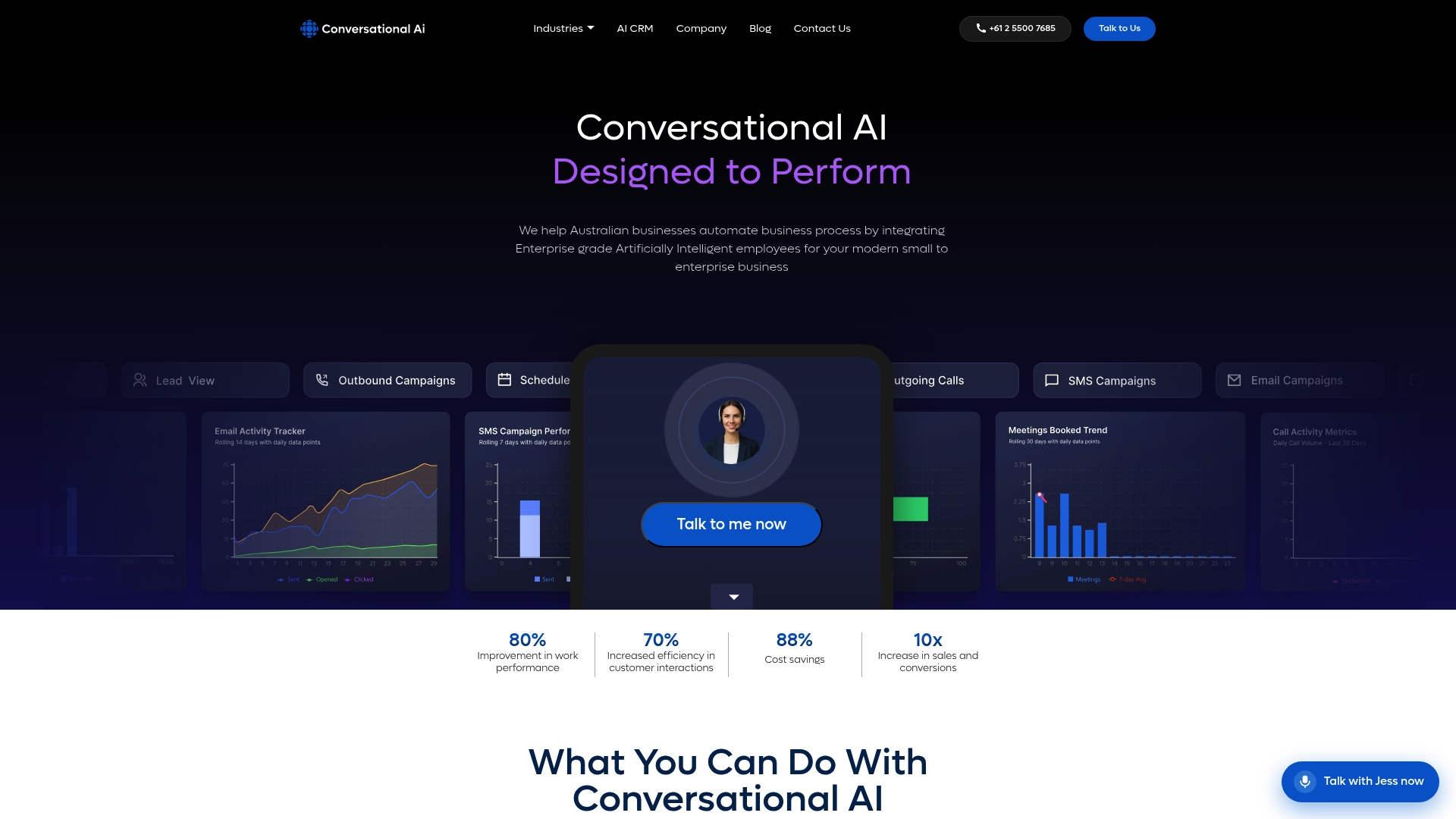
Everything covered in this guide, the central suppression logic, cross-channel branching on behaviour, contextual memory that follows a lead across channels, is built into the platform from the ground up rather than bolted on after the fact. That matters most in regulated sectors, where an audit trail gap or a leaked opt-out isn’t just embarrassing, it’s a compliance failure with real consequences. For teams weighing a build against a platform that already handles voice, SMS, and email automation as one connected system, the platform saves months of integration work most businesses underestimate.
If your organisation handles sensitive customer data and needs multichannel follow-ups that satisfy both sales targets and compliance requirements, book a consultation through the Conversational AI team and see how the platform maps to your specific CRM and regulatory environment.
Frequently asked questions
What is an automated follow-up system? It’s a set of tools and rules that capture a lead, log it in a CRM, and run a pre-built sequence of email, SMS, phone, and LinkedIn touches on a schedule, branching based on how the lead responds, until a human takes over.
Why should businesses automate multichannel follow-ups instead of doing it manually? Manual follow-up is slow and inconsistent, and leads go cold within hours. Automation gets the first touch out in minutes and frees reps to spend their time on conversations that actually need a human.
What’s a good starter cadence for automated follow-ups? A seven-touch sequence spread across roughly two weeks works well for most B2B contexts: an immediate email and SMS, a call attempt, a value-add email, a LinkedIn touch, a second call attempt, and a final breakup email.
How do you stop an automated sequence when someone replies? Build a central suppression rule that every channel checks before sending. The moment a reply, booking, or opt-out is logged against a lead, that rule blocks every remaining touch across every channel, not just the one where the reply arrived.
Is automated multichannel follow-up compliant with privacy laws? It can be, provided you have clear consent for each channel, a working opt-out mechanism, and a compliance gate that honours that opt-out everywhere. Requirements vary by jurisdiction, covering the Spam Act and Do Not Call Register rules in Australia, GDPR for EU contacts, and TCPA for US calls and texts.
What features should I look for in follow-up automation tools? Prioritise conditional branching, shared suppression across channels, real-time CRM sync, personalisation beyond first name, and clear task hand-offs for anything that needs a human touch.
Sources
- Gartner press release on AI agents and seller productivity
- Sales sequence: how to build a sequence that actually books meetings — HubSpot blog
Recommended
- Automate customer service operations: 2026 enterprise guide - Conversational AI
- Types of customer service automation triggers: 2026 guide - Conversational AI
- Multichannel AI agent deployment guide for enterprises - Conversational AI
- Multichannel customer communication examples for Australian businesses - Conversational AI